


Last updated on April 3rd, 2026 at 04:10 pm
If you are using ActiveCampaign to send emails and not much else, you are leaving a lot on the table. ActiveCampaign integrations are what turn the platform from a solid email tool into a fully connected marketing and sales system. When your CRM talks to your website, your ads, your scheduling software, and your analytics, everything runs faster, follows up automatically, and stops depending on you to remember every next step.
This guide breaks down the ActiveCampaign integrations actually worth setting up, what each one does, and how to make sure you are getting real results from them once they are connected.
Contents
What Are ActiveCampaign Integrations and Why Do They Matter?
An integration is a connection between ActiveCampaign and another tool in your stack. When two platforms are integrated, data flows between them automatically. A lead fills out a form on your website, ActiveCampaign gets notified instantly, a follow-up text goes out, and a deal moves in your pipeline without you lifting a finger.
That is the power behind the “If-This-Then-That” logic that drives automation. The trigger happens in one tool and the action fires in another. The whole sequence runs on its own.
What an Integration Actually Does
Think of an integration as a direct line between two platforms. Instead of logging into five different tools to manually move information around, the data does the traveling for you. Contact records stay up to date, campaigns fire at the right time, and your team gets notified when it matters.
Why Most Businesses Only Use Half of What ActiveCampaign Can Do
Most businesses set up ActiveCampaign, build a few email sequences, and stop there. The platform is used as a fancy email sender instead of the connected system it was built for. At WolfPack, we see this constantly during CRM audits.
The automation engine is sitting idle, the integrations are either missing or misconfigured, and leads are falling through the cracks that a properly connected system would have caught automatically. The good news is that you do not need to connect everything at once. You just need to start with the right ones.
The Integrations Worth Setting Up First
Not all integrations deliver equal value. The ones below are worth prioritizing because they have the most direct impact on lead capture, follow-up speed, and campaign performance. Start with the integrations tied to your highest-volume lead sources first.
| Integration | Best For | Plan Required |
|---|---|---|
| Facebook Lead Ads | Instant lead capture from ads | Plus |
| WordPress | Site tracking and form embeds | Starter |
| Google Analytics | Campaign performance tracking | Starter |
| Calendly | Booking and scheduling automation | Plus |
| Slack | Internal team alerts | Plus |
| Shopify | eCommerce follow-up automation | Starter |
| DocuSign | Contract and signature workflows | Pro |
| Salesforce | Enterprise CRM data sync | Enterprise |
For most home service businesses, Facebook Lead Ads and WordPress are the best place to begin.
Integrations That Strengthen Your Lead Follow-Up
Speed is everything in local service businesses. The first company to respond wins the job more often than not. These integrations are built to close that gap.
Facebook Lead Ads: Capture Leads Without a Landing Page
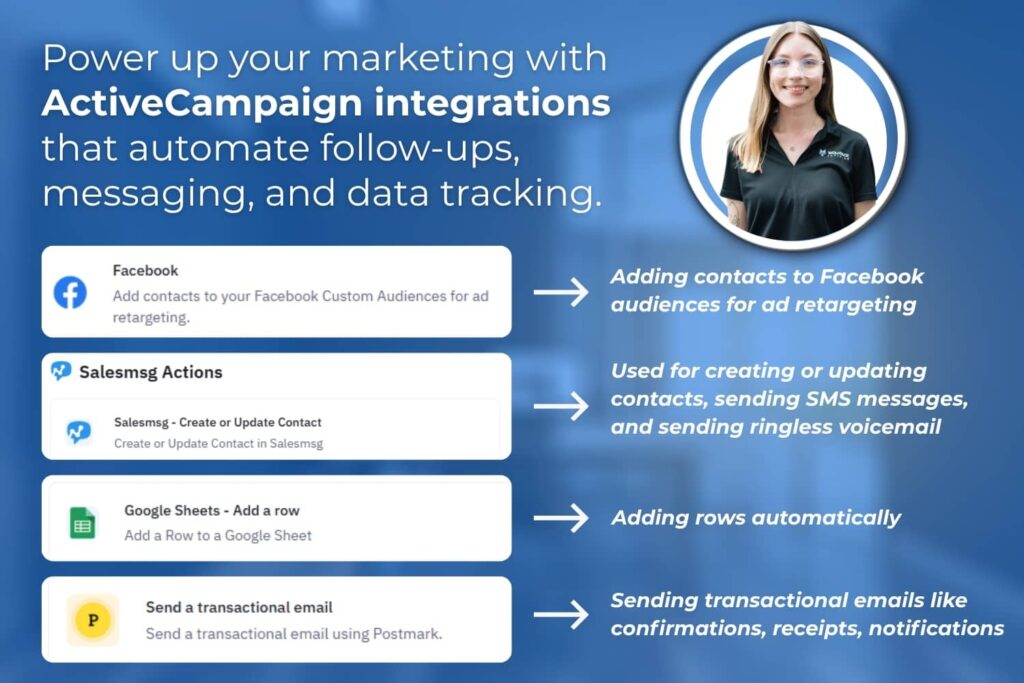
Facebook Lead Ads let potential customers submit their information directly inside Facebook without ever leaving the platform. When connected to ActiveCampaign, that submission triggers an instant automation. The moment someone fills out your ad form, ActiveCampaign receives the contact, fires off a confirmation text or email, and creates a deal in your pipeline.
You can also use this integration to add contacts to Facebook Custom Audiences based on their behavior in ActiveCampaign, which makes your retargeting sharper and more cost-effective. For home service businesses running Meta Ads, this integration is non-negotiable. This integration requires the Plus plan or higher in ActiveCampaign.
WordPress: Turn Your Website Into a Lead Machine
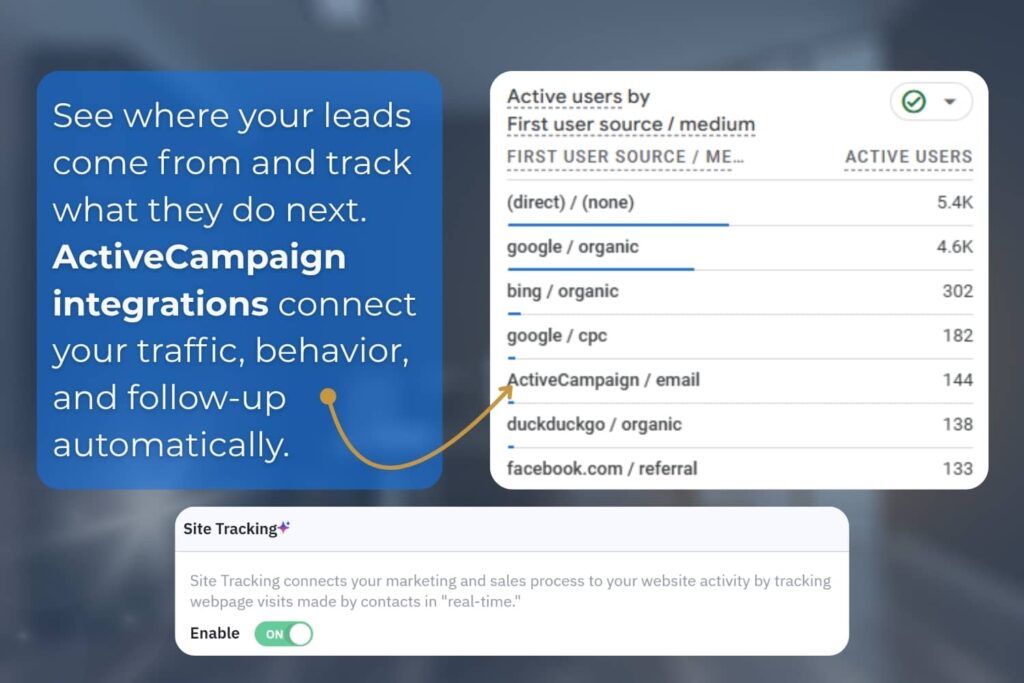
If your website is built on WordPress, this is one of the first integrations you should connect. You can embed ActiveCampaign forms directly into any page, post, or sidebar on your site, and the contact lands in ActiveCampaign automatically with the right tags and list assignments already in place. Site tracking gives you visibility into what your contacts are doing on your website after they opt in.
Which pages are they visiting? Did they look at your pricing page three times without reaching out? ActiveCampaign can trigger a follow-up based on that behavior. This integration is available on the Starter plan, making it one of the most accessible and highest-impact connections you can make.
Calendly: Automate What Happens After Someone Books
Calendly handles the scheduling and ActiveCampaign handles everything that comes next. When a contact books a meeting through Calendly, that event triggers an automation in ActiveCampaign. A confirmation email goes out, the deal moves to the next pipeline stage, and a reminder sequence starts.
A few things worth knowing: this is a one-way sync, meaning data flows from Calendly into ActiveCampaign only, and it cannot pull in historical booking data. For automating your post-booking workflow going forward, it works very well. Calendly integration requires the Plus plan in ActiveCampaign along with a Calendly Professional, Teams, or Enterprise subscription.
Getting your lead follow-up connected is the foundation. Once those integrations are working, the next step is making sure you can actually see what is driving results. That is where your marketing and sales data integrations come in.
Integrations That Connect Your Marketing and Sales Data
Knowing that your emails are being opened is useful. Knowing which emails are driving website visits, form fills, and booked jobs is what actually helps you make better decisions. These integrations give you that fuller picture.
Google Analytics
When you connect Google Analytics with ActiveCampaign, the platform automatically adds UTM tracking parameters to every link in your campaigns. That means you can see in Google Analytics exactly how much website traffic your emails are driving and which campaigns lead to real conversions. The UTMs passed include the campaign source, medium, name, and even the subject line of the email sent.
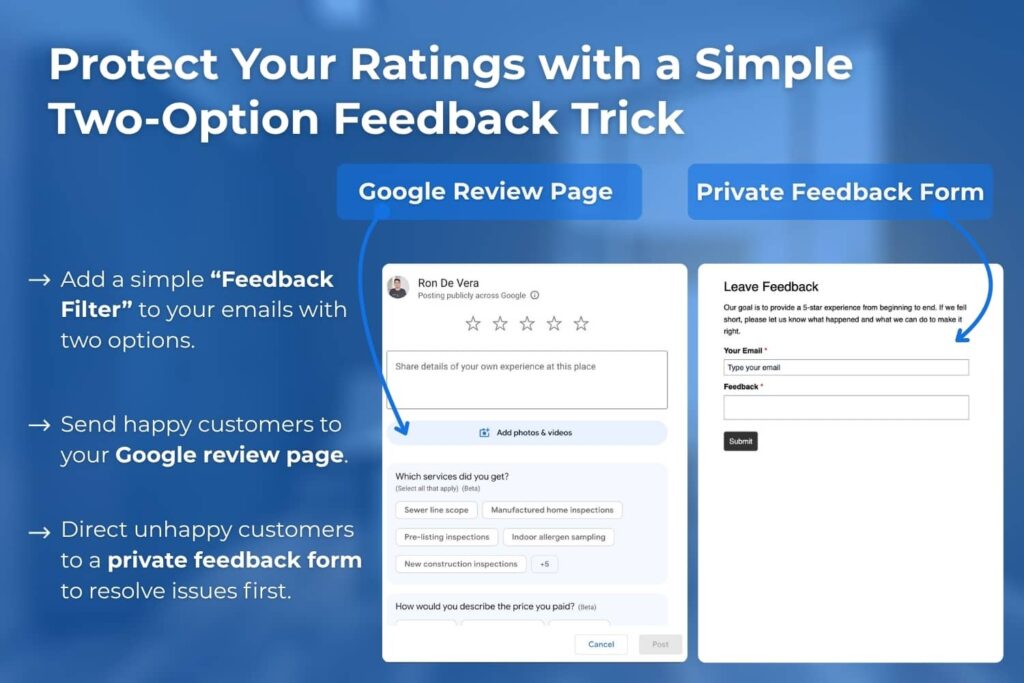
One thing to note is that you may see small discrepancies between link click data in ActiveCampaign and session data in Google Analytics. That is normal and usually comes down to how each platform counts interactions. If the gap is large, it is worth contacting ActiveCampaign support to investigate. This integration is available starting on the Starter plan.
Salesforce
For larger operations already running Salesforce, connecting it with ActiveCampaign creates a real-time bridge between your sales and marketing teams. Contact records, lead data, and opportunities sync between platforms, and marketing-qualified leads flow automatically into Salesforce. Both teams stay aligned without manually sharing spreadsheets.
Worth being upfront about the limitations: the sync from Salesforce to ActiveCampaign runs on a schedule, not instantly, and some users have reported occasional reliability issues that required reconnecting the integration. This integration is also locked behind the Enterprise plan, which starts at $145 per month. If you are a smaller operation, HubSpot may be a more practical option.
HubSpot
Some businesses use HubSpot for its robust CRM and reporting capabilities while using ActiveCampaign for its superior email automation. Running both together is a legitimate setup. The integration creates a two-way sync for contacts, companies, and opportunities between the two platforms.
When a record updates in one tool, it updates in the other automatically. One important note is that you will not find this integration inside ActiveCampaign’s app marketplace. Look for it in the HubSpot marketplace instead.
Integrations for Scheduling, Signatures, and Workflow Management
These integrations handle the operational side of your business. They cover the steps that happen after a lead says yes. Getting these connected means fewer things fall through the cracks between your marketing system and your field operations.
DocuSign
If your business requires agreements or contracts before work begins, connecting DocuSign to ActiveCampaign removes the friction from that process. You can set up automations that generate pre-filled documents at the right moment in your pipeline, send them automatically, and trigger follow-up sequences based on whether the document was signed, opened, or ignored. When someone signs, a welcome email goes out, your team gets notified, and the deal moves forward without anyone checking manually.
This integration is available on the Pro plan and above. You will also need a DocuSign account that includes the Connect feature.
Slack
The Slack integration comes in two parts: the ActiveCampaign bot that lives inside Slack, and a general integration that sends automatic notifications from ActiveCampaign into any channel you choose. Use it to alert your team the moment a high-value lead submits a form, a deal moves to a new stage, or a contact takes an action that signals they are ready to buy. Instead of your team logging into ActiveCampaign to check on things, the important information comes to them.
The general Slack integration requires the Plus plan. The ActiveCampaign bot is available starting on the Starter plan.
Trello
For teams using Trello to manage projects and tasks, this integration lets you create or update Trello cards automatically based on what is happening with contacts in ActiveCampaign. A new lead comes in, and a Trello card gets created. A deal moves to a new stage, and the card moves to the right column.
Note that this integration requires Zapier as a connector between the two platforms. This adds a small additional cost and an extra setup step to keep in mind.
How Zapier Fills the Gaps
ActiveCampaign connects natively with hundreds of tools, but it does not connect with everything. That is where Zapier comes in. Zapier acts as a bridge between ActiveCampaign and tools that do not have a direct integration.
If you need to connect a niche scheduling tool, a custom form builder, or industry-specific software like home inspection platforms such as ISN or Spectora, Zapier can often get that data flowing into ActiveCampaign without custom development. That said, Zapier adds its own subscription cost and introduces another layer of setup that can break if either connected platform updates. For high-priority, high-volume integrations, a native connection is always preferable when one exists.
A good rule of thumb is to use native integrations wherever they are available and turn to Zapier for the gaps.
How to Get the Most From Your ActiveCampaign Integrations
Connecting an integration is step one. Getting real results from it is a different conversation entirely. Here is what actually makes a difference once your tools are linked up.
Start With One Integration and Get It Right Before Adding More
The most common mistake businesses make is connecting a dozen tools at once and then wondering why nothing is working properly. Pick the integration tied to your highest-volume lead source first and build a fully functioning automation workflow around it before you add anything else. A well-configured single integration will do more for your business than six half-built ones.
Make Sure Your Automations Are Actually Triggering
An integration that is connected but misconfigured delivers the same result as no integration at all. After you set up a new connection, run a test by submitting a form, booking a meeting, or triggering the action yourself to confirm the automation fires the way it should. Check your automation reports in ActiveCampaign regularly to confirm contacts are enrolling and deals are moving.
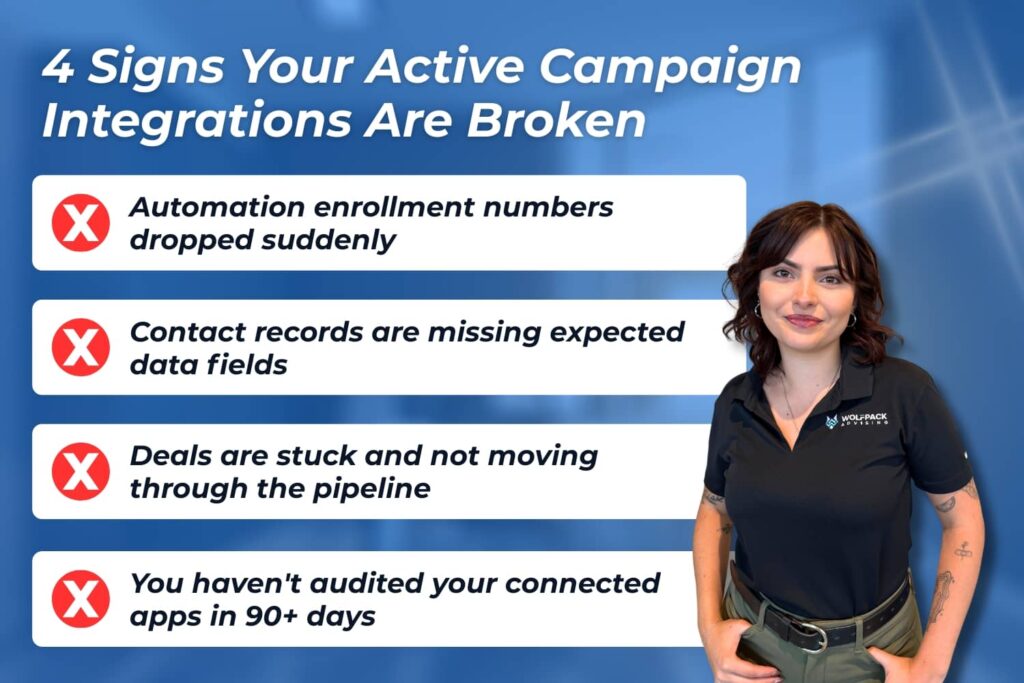
Integration issues often show up through small warning signs if you know where to look. A sudden drop in automation enrollments may mean an integration trigger has stopped firing. This often happens when a connected tool stops sending contacts into ActiveCampaign.
Missing contact data usually points to broken field mapping between platforms. When external tools update fields or settings change, data may stop syncing properly. Reviewing your field mapping settings can quickly resolve this issue.
Deals that stop moving through your pipeline can indicate automation actions are no longer executing correctly. This can happen when triggers fail or integration updates interrupt the workflow. Running a test contact through your automation helps confirm everything is still working.
If you have not reviewed your connected apps in over 90 days, some connections may have already be expired. Integrations can disconnect quietly due to authentication updates or platform changes. Regular audits help ensure your automations continue running smoothly.
If enrollment numbers drop suddenly, that is often the first sign that something has broken. Catching it early prevents leads from slipping through unnoticed.
Map Your Data Fields Before You Go Live
One of the most overlooked steps in any integration setup is field mapping. If the fields in your connected tool do not match the contact fields in ActiveCampaign, data lands in the wrong place or gets lost entirely. That means incomplete records, broken personalizations, and automations that fire with the wrong information.
Before you go live with any integration, document exactly which field in the external tool should map to which field in ActiveCampaign. It takes an extra 20 minutes upfront and saves hours of cleanup later.
Review Your Integration Performance Every 60 to 90 Days
Integrations can break quietly. A platform update, a plan change, or an expired authentication token can disconnect a sync without any obvious error message. Set a recurring reminder to audit your connected apps every couple of months.
Signs to watch for include sudden drops in automation enrollments, contact records missing expected data, and deals that are not moving through your pipeline the way they should. Catching a broken integration early prevents leads from falling through unnoticed.
How to Approach Active Campaign Integrations for Home Service Businesses
For home service businesses, contractors, and local operators, the integrations that matter most are the ones tied directly to how leads come in and how fast your team responds. The tools connected to your lead sources, your scheduling workflow, and your post-job communication are the ones worth prioritizing first. Everything else can come later.
In most CRM setups, the biggest gaps are not in the software itself but in how it connects to the rest of the business. A form on your website with no automation behind it, an ad campaign that sends leads nowhere, or a scheduling tool with no follow-up sequence are the kinds of gaps that cost real jobs. Getting the integrations right is mostly about understanding the flow of your specific business and building around that.
If you are working through your own setup and want a second opinion, reaching out to a certified ActiveCampaign partner is a good place to start. Sometimes, a fresh set of eyes on your current configuration is all it takes to spot what is missing.
Related Questions
What integrations does ActiveCampaign have?
ActiveCampaign connects natively with hundreds of tools, including Facebook, WordPress, Google Analytics, Calendly, Shopify, DocuSign, Salesforce, HubSpot, Slack, and many more. For tools without a native connection, Zapier can act as a bridge.
Does ActiveCampaign integrate with Facebook Ads?
Yes. The Facebook Lead Ads integration lets you capture leads directly from your ads and trigger automations in ActiveCampaign instantly. You can also sync ActiveCampaign audiences with Facebook Custom Audiences for retargeting. This feature requires the Plus plan or higher.
Can ActiveCampaign connect to my scheduling software?
Calendly integrates natively with ActiveCampaign on the Plus plan. For other scheduling tools without a direct connection, Zapier can often fill the gap.
Is Zapier required for ActiveCampaign integrations?
Not for most of the major integrations. Facebook, WordPress, Google Analytics, Calendly, Slack, Shopify, and DocuSign all connect natively. Zapier is only needed when a tool does not have a direct ActiveCampaign integration.
Which ActiveCampaign plan do I need for integrations?
It depends on the integration. Many useful ones, including WordPress, Google Analytics, Shopify, and the ActiveCampaign Slack bot, are available on the Starter plan. Others like Facebook Lead Ads and Calendly require the Plus plan, while Salesforce requires the Enterprise plan.
Can ActiveCampaign integrate with home inspection software like ISN or Spectora?
There is no native direct integration between ActiveCampaign and ISN or Spectora, but connections can be built using Zapier or custom API setups. WolfPack works specifically with home inspection businesses to configure these connections and build automation workflows around them.
Ready to Get More From ActiveCampaign?
ActiveCampaign is a powerful platform, but the businesses that get the most out of it are not the ones with the most integrations. They are the ones with the right integrations, set up correctly, and connected to a strategy that matches how they generate and close leads.
If you are not sure what is working in your current setup or where the gaps are, WolfPack can help. We audit CRM systems, identify what is broken or missing, and build connected automation workflows that run your follow-up around the clock.
Book a call with our team today and let’s take a look under the hood.