
Yes, lots of local businesses advertise on Bing, and most of them run it right alongside Google instead of picking one. That’s diversifying your platforms, and it’s a smart practice for any business.
Bing is now called Microsoft Advertising, and it puts your business in front of buyers Google never shows your ads to, often at a lower cost per click. For a local service business, that means cheaper leads and less risk from leaning on a single platform.
Setting it up takes about an afternoon, and your Google work carries right over. This guide covers why Bing deserves a spot in your ad mix, who gets the most out of it, and how to launch your first campaign step by step.
How Does Advertising on Bing Work?
When you advertise on Bing, you pay to show your business at the top of search results across Microsoft’s ad network, not just Bing.com.
The platform is officially called Microsoft Advertising. It dropped the “Bing Ads” name a few years back, though most people still call it that.
Your ads can appear across Bing, Yahoo, AOL, DuckDuckGo, and Ecosia, so the reach goes well beyond a single search engine. You can see the full network and current ad formats on Microsoft Advertising’s official site.
Here is how it works. You bid on keywords your customers type, like “emergency plumber near me.” When someone searches that term, your ad can show at the top of the page, and you pay only when they click.
Microsoft Advertising is not only text ads, either. You can run search ads that show when people look for your service, shopping ads that include a photo and price, and audience ads that reach people across Microsoft sites and apps.
Most local service businesses start with search ads, since those catch buyers at the moment they are looking for help.
Sound familiar? It runs almost exactly like Google Ads. That is good news, because your skills and even your campaigns carry over, which we cover below.
Why Most Businesses Should Advertise on Bing Too
Businesses advertise on Bing because it reaches buyers that Google misses, costs less per click, and keeps them from betting their whole budget on one platform. Here are the reasons that matter most.
You stop depending on one platform
If Google is your only source of paid leads, one policy change, account suspension, or price jump can dry up your pipeline overnight. Running ads on a second platform spreads that risk. Think of it like not keeping every tool in one truck.
Bing is one piece of a healthy paid advertising mix that can also include channels like programmatic and display.
The clicks usually cost less
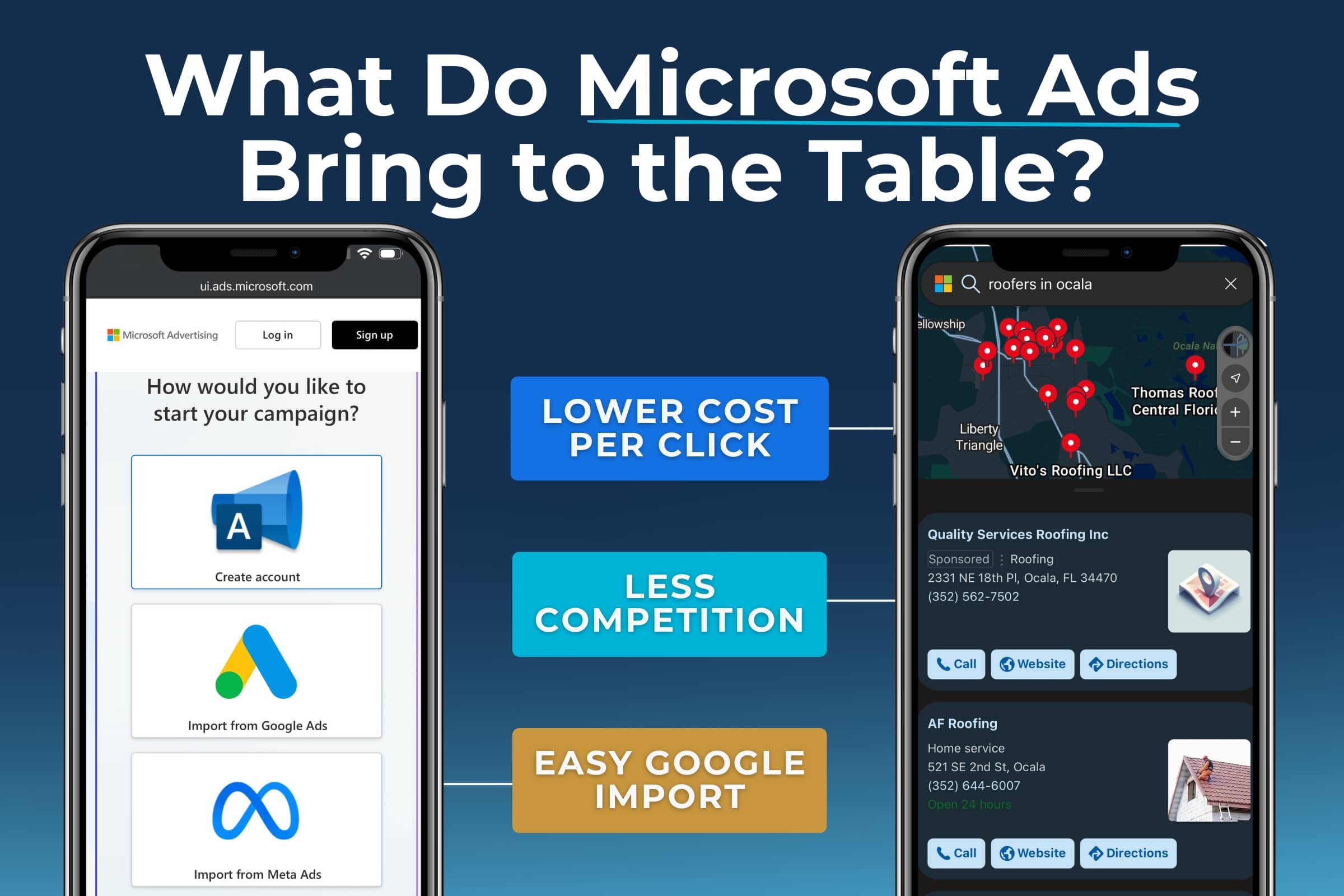
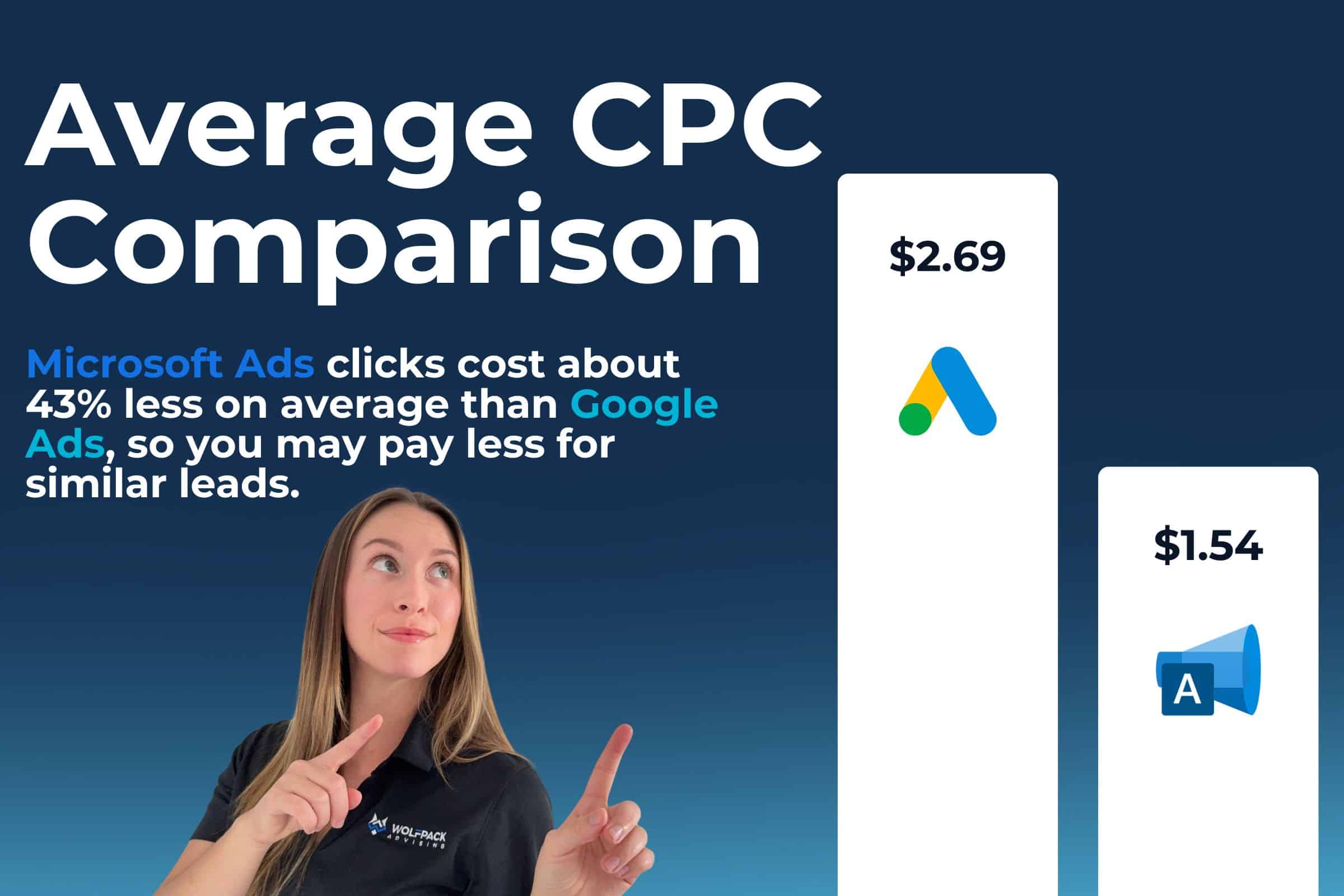
Bing has far fewer advertisers fighting over the same keywords, so clicks tend to run cheaper than Google. For a small or local budget, that means more leads for the same spend.
We broke down the exact cost and conversion differences in our Bing Ads vs Google Ads comparison, including a WolfPack client that saw a 22% lower cost per acquisition on Bing.
You reach a different kind of buyer
Bing’s audience skews a little older, more desktop-based, and often higher income. For home service businesses selling to homeowners and decision-makers, that can mean fewer tire-kickers and more people ready to book.
Your Google work is not wasted
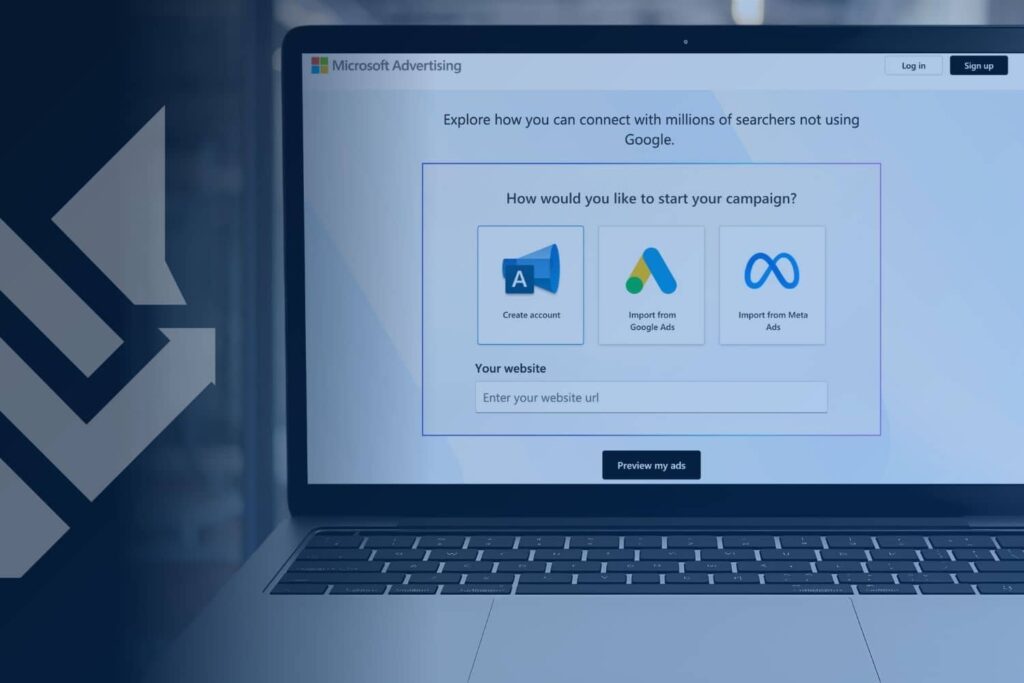
You can import your existing Google Ads campaigns straight into Microsoft Advertising in a few clicks. No starting from scratch. That alone makes testing Bing low-effort and low-risk.
Here is what Bing adds to your ad mix at a glance:
| What Bing Adds | Why It Helps a Local Business |
|---|---|
| Lower cost per click | More leads for the same budget |
| Less advertiser competition | Easier to rank for your service keywords |
| Desktop and higher-income audience | Often higher-intent, ready-to-book buyers |
| One-click import from Google | Launch fast with campaigns that already work |
| A second lead source | Less risk if one platform changes the rules |
Who Should Advertise on Bing?
Bing is a strong fit for businesses whose customers search from desktops, skew a little older, or pay for higher-ticket services. That describes a lot of home service and local businesses.
You are likely a good fit if:
- You serve homeowners, especially in an older or higher-income area.
- Your jobs are worth a few hundred dollars or more, so one booked lead pays for itself.
- You already run Google Ads and want cheaper leads on top of them.
- You work in a competitive market where Google clicks have gotten expensive.
Bing is a weaker fit if your customers skew young and shop almost entirely on their phones, or if your average job is only worth a few dollars.
Even then, the low cost to test makes a short trial worth it. For a closer look at how Bing and Google audiences differ, see our Bing vs Google comparison.
How Much Does It Cost to Advertise on Bing?
You set the budget when you advertise on Bing, and there is no required minimum. You pay each time someone clicks your ad, and you can start with as little as a few dollars a day.
Most local service businesses start somewhere between $300 and $1,000 a month to gather enough data to see what works. Because Bing’s clicks often cost less than Google’s, that budget can stretch further.
What you pay per click depends on your industry, your location, and how many other businesses bid on the same keywords. Service keywords in a busy metro area cost more than the same keywords in a smaller town. The upside is that you control the ceiling, so your spend never runs past the cap you set.
A few cost basics to keep in mind:
- You pay for clicks, not for showing the ad.
- You control a daily and monthly cap, so you never overspend.
- You can pause, raise, or lower your budget anytime.
How to Advertise on Bing in 6 Steps
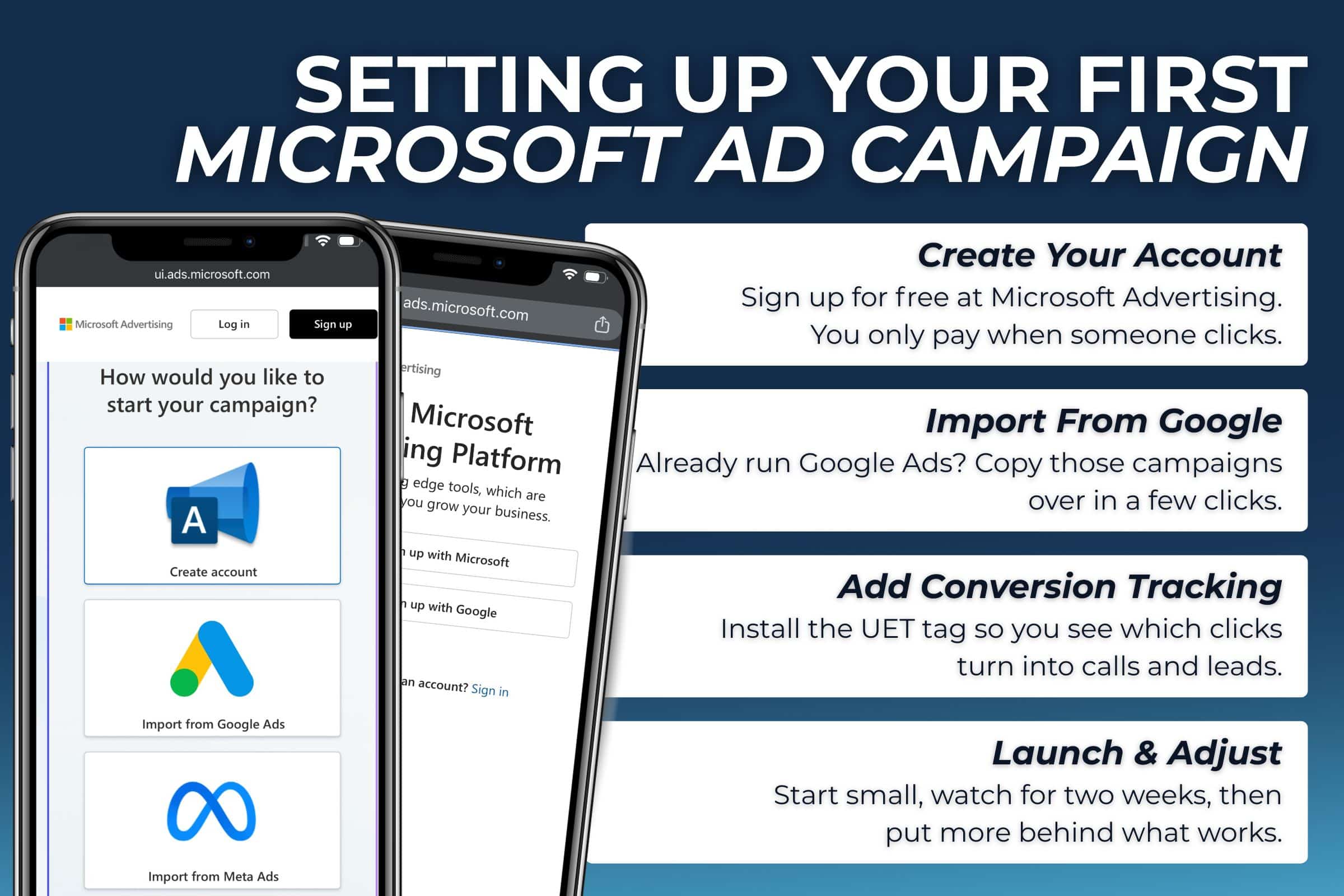
To advertise on Bing, create a free Microsoft Advertising account, import or build a campaign, set your budget, add your keywords and ads, turn on tracking, then launch. Here is the full walkthrough.
- Create your Microsoft Advertising account. Sign up with a work email on the Microsoft Advertising site. Opening an account is free. You only pay when your ads run, so there is no cost to look around first.
- Import from Google or start fresh. If you already run Google Ads, use the built-in import tool to copy your campaigns over in minutes. No Google account yet? Build a new campaign around your top three or four services.
- Set your budget and bids. Pick a daily budget you are comfortable with and let the system suggest starting bids. Begin small, watch what works, then put more behind your winners.
- Choose keywords and write your ads. Target the terms customers actually search, like “roof repair” plus your city. Write clear ads that name the service, the area you cover, and one strong reason to call you, such as same-day service or a free quote.
- Add conversion tracking. Install the UET tag, which is Microsoft’s tracking code, on your website. It tells you which clicks turn into calls and form fills. Without it, you are flying blind on what your money is doing.
- Launch and adjust. Turn the campaign on, give it about two weeks, then trim the keywords that waste money and shift that budget to the ones booking jobs.
Step 5 is the part most owners hand off. If conversion tracking sounds technical, a pro can set the UET tag correctly the first time so your numbers are right from day one.
Common Mistakes to Avoid With Bing Ads
The most common mistake is skipping conversion tracking, so you never learn which clicks turn into customers. A few others are worth dodging too:
- Importing every Google campaign and walking away. Bing is cheaper, but it still needs a quick review of bids and keywords to perform its best.
- Bidding on broad terms that pull in the wrong searches. Tighter keywords bring better leads and less wasted spend.
- Setting a tiny budget and quitting after a week. Give a campaign two to four weeks to gather enough data to judge it fairly.
- Sending clicks to your homepage. Point ads at a focused page about the exact service you are advertising, so visitors find what they came for.
Avoid those four, and your first campaign starts on solid ground.
Can You Advertise on Bing for Free?
No, advertising on Bing is paid because you bid for clicks. But you can still show up on Bing for free through organic listings, which is different from ads.
To build free visibility on Bing:
- Add your business to Bing Places for Business, the Bing version of a Google Business Profile.
- Set up Bing Webmaster Tools so Bing can find and rank your pages.
- Keep your website content helpful, accurate, and current.
Paid ads get you to the top fast. Free listings build slower but cost nothing. Most businesses use both. If organic visibility is the goal, our search engine optimization services cover that side of the work.
Related Questions to Explore
Is it worth advertising on Bing if I already use Google?
Usually yes. Because you can import your Google campaigns and clicks cost less, testing Bing is cheap and low-effort. Many businesses find Bing brings in leads at a lower cost, which makes the whole ad budget work harder.
How is Microsoft Advertising different from Bing Ads?
They are the same thing. Microsoft renamed Bing Ads to Microsoft Advertising. The platform now reaches more than Bing, including Yahoo, AOL, DuckDuckGo, and Ecosia.
How long until Bing ads bring in leads?
Ads can show the same day you launch. Most businesses need two to four weeks of data before they trim wasted spend and tune campaigns for steady, lower-cost leads.
Do my customers even use Bing?
More than you might think, especially on desktop and Windows devices where Bing is the default search engine. If your customers skew older or search from a work computer, Bing reaches them.
Do I need a website to advertise on Bing?
Yes, you need a page for your ad to send clicks to, but it does not have to be a big site. A single, clear page about the service you are promoting works well. A focused page almost always beats sending paid clicks to a busy homepage.
Should I run Bing and Google at the same time?
For most service businesses, yes. Google brings volume, Bing brings cheaper and often higher-intent clicks. Running both spreads your risk and lowers your average cost per lead. Our Bing vs Google breakdown walks through the numbers.
When to Consider Working With Experts
Call a pro when setup, tracking, or wasted spend starts costing you more than it saves.
Signs it is time to get help:
- You are not sure your conversion tracking is working.
- Clicks are coming in, but the phone is not ringing.
- You do not have time to check and adjust campaigns every week.
- You want to run Bing and Google together without doubling your workload.
A good agency sets up tracking correctly, imports and tunes your campaigns, and watches the numbers so your budget goes to the keywords that actually book jobs. WolfPack’s Microsoft Ads management does exactly that for home service businesses.
Check out a case study that highlights Microsoft Advertising processes and results:
Bottom Line
Bing is not a Google replacement, and it doesn’t need to be. It is the second platform that makes your whole ad budget harder to knock down and cheaper to run.
Savvy business owners advertise on Bing because it reaches buyers they were missing, lowers their cost per lead, and keeps them from betting everything on one channel. The setup is quick, your Google work carries over, and the risk is low.
If you want Bing and Google working together without the guesswork, schedule a free strategy session with WolfPack. We’ll show you where your next affordable lead should come from.