
Last updated on July 10th, 2026 at 12:27 pm
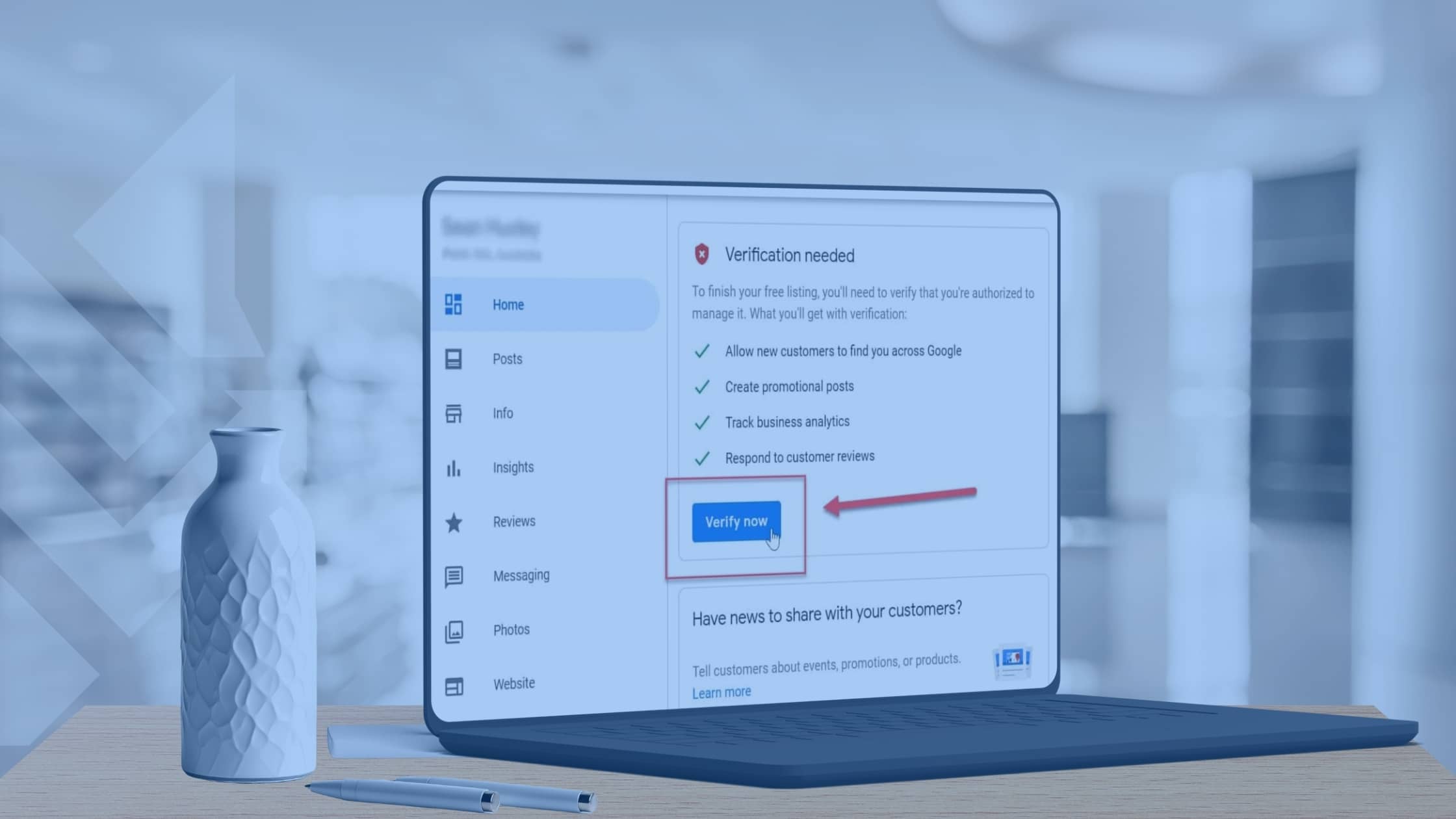
Google Business verification is the process Google uses to confirm that your business is real, eligible, and allowed to appear in local search results and Google Maps. Without verification, your business won’t be able to fully appear in local searches, respond to reviews, or establish trust with potential customers.
This guide explains how Google Business verification works, the methods Google uses, common problems that delay approval, and how to complete verification correctly the first time. The focus is on verification, not profile setup.
What Is Google Business Verification
Google Business verification is how Google confirms that you are the real owner or manager of a business location or service area. Verification allows Google to trust your business information before showing it in search results.
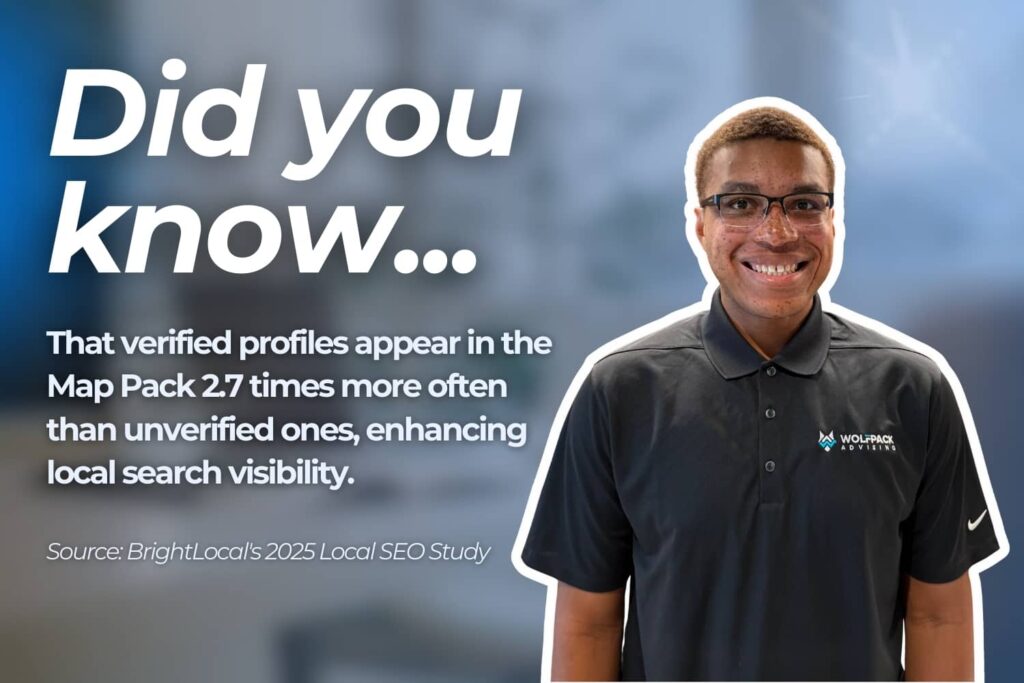
Once verified, your business can appear in Google Maps, local pack listings, branded searches, and reviews. Verified profiles receive significantly more visibility, with many businesses averaging over 20,000 views per year from Google searches.
Why Google Business Verification Matters for Local Visibility
Google uses verification as a key trust signal in local search. It helps confirm that a business is real and eligible to appear in nearby results.
Verified businesses are more likely to show up in Google Maps and local pack listings. They are also less likely to be filtered out when search results become competitive.
Businesses that complete verification properly tend to see more stable rankings and fewer profile interruptions compared to those that rush the process or make frequent changes during review.
Who Needs Google Business Verification
Most businesses that want to appear in local search results need Google Business verification. This applies to any business that serves customers in a specific city or service area, even if customers never visit a physical location.
Businesses that typically need verification include:
- Home service professionals such as inspectors, contractors, HVAC companies, roofers, plumbers, and pest control providers
- Service area businesses that travel to customers and operate without a public storefront
- Brick and mortar businesses with a physical location open to the public
- Multi location businesses and franchises managing multiple profiles
If your business relies on local customers or service calls, Google Business verification is required to appear in Google Maps and local pack results. Without verification, it is difficult to compete for visibility, even with a strong website or advertising strategy.
How Google Business Verification Works
Google Business verification confirms that a business is real and accurately represented online. Google reviews several signals to decide which verification method is required.
These signals include:
- Business category and services offered
- Account history and past verification activity
- Public records and online listings
- Website content and location signals
Not every business is given the same verification options. Some can verify quickly by phone or email, while others must complete postcard, video, or live verification.
During verification, Google looks for clear real-world proof that the business exists and operates as described. Inconsistent details or missing information can lead to delays or additional review.
Google Business Verification Methods Explained
Google may offer different verification methods depending on your business type and trust signals. The table below explains each option and what to expect.
Google Business Verification Methods Comparison
This section compares each Google Business verification option so you can quickly see which method is most likely to apply to your business and how long it usually takes.
| Verification Method | Best For | Typical Timeline | What Google Looks For | Common Issues |
|---|---|---|---|---|
| Postcard Verification | Storefront or physical office businesses | 5 to 14 days | Accurate business address and mailbox access | Postcard never arrives, profile edits reset the process |
| Phone or Text Verification | Established businesses with strong trust signals | Immediate | Matching phone number and account history | Option disappears after profile changes |
| Email Verification | Some verified or long-standing businesses | Immediate but time sensitive | Valid business email tied to domain | Code expires before use |
| Video Verification | Service area businesses or hidden addresses | Several days for review | Signage, equipment, workspace, proof of management | Missing signage, unclear video evidence |
| Live Video Call Verification | Businesses with repeated verification issues | Scheduled session | Real-time proof of business operations and access | Unprepared workspace or incomplete proof |
Video Verification Requirements You Must Follow
Use these requirements as a checklist before recording so your video is approved on the first attempt instead of getting rejected for missing details.
Video verification must be recorded and uploaded directly through the Google Business platform in one continuous recording. The video cannot be edited, paused, or uploaded later from your device.
Key requirements include:
- The video must be recorded in one single take
- The video length must be between 30 seconds and 5 minutes, with 1 to 2 minutes recommended
- The recording must be completed on a mobile phone while logged into the Google account that manages the profile
- The video must be recorded and uploaded inside the Google Business verification flow
What Google Looks for in a Video Verification
Google reviews video submissions to confirm three things: location, business activity, and authorization.
During video verification, Google checks for clear proof that the business exists, operates as described, and is managed by the person submitting the video.
Storefront Businesses
If customers visit your physical location, follow these storefront-specific steps to show Google clear proof of your signage, address, and day-to-day operations
- A nearby street sign or recognizable landmark
- The street number on the building or entrance
- Exterior signage displaying the business name
- The interior space, including products, tools, or equipment
- Proof of access, such as unlocking the door, using a keypad, or opening a staff-only area
Service Area Businesses
For service area businesses, the focus is on proving your real service territory, equipment, and active work rather than a walk-in storefront.”
- Street signs and building numbers near the registered address
- A branded vehicle, tools, or uniforms related to the service
- A home office or workspace, if applicable
- Proof of authorization, such as unlocking a vehicle, accessing business software, or showing non-sensitive business documents
Sensitive information such as bank details, tax numbers, or other people’s faces should not appear in the video.
Video Verification Timeline and Approval Status
After uploading the video, verification typically takes about five business days, though some reviews may take up to seven days. Google will notify you by email once the review is complete.
If the status remains pending beyond a week, contacting Google Support is recommended.
Step by Step Google Business Verification Process
Use this step-by-step process as a roadmap to move from unverified to fully verified without unnecessary delays or repeated attempts.
- Sign in to the correct Google account
Log in to the Google account that owns or manages your Google Business Profile. Using the wrong account can delay or block verification. - Open your Google Business Profile dashboard
Access your profile through Google Search or the Google Business Profile manager to view verification status and available options. - Start the verification process
Select the verification method Google provides. Options may include phone, email, postcard, video, or live video call depending on your business type. - Follow all instructions exactly
Complete each step as instructed. Missing details or submitting unclear proof can cause the verification to fail. - Do not edit business details during review
Avoid changing your business name, address, category, or service area while verification is in progress, as updates can reset the process. - Watch for email updates from Google
Google sends status updates and requests for additional information by email. Respond promptly to avoid delays. - Confirm verification approval
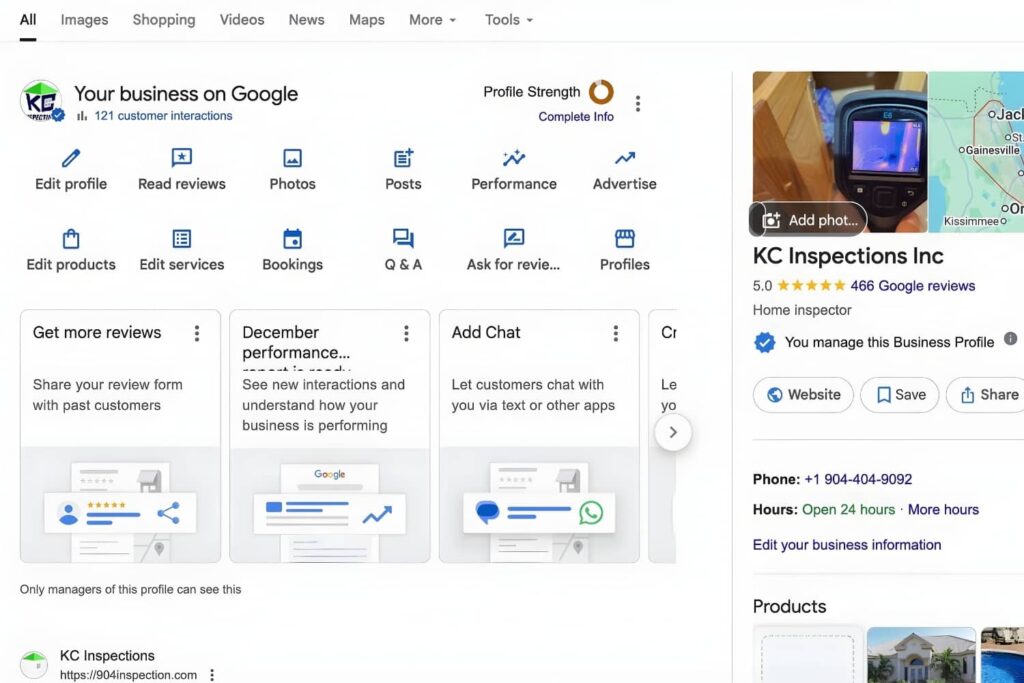
Once approved, your profile will show as verified and full access will be restored.
After verification is complete, your business can appear in Google Maps, local search results, and review features.
Common Google Business Verification Problems
Many businesses encounter verification issues that delay approval or trigger additional review.
Common problems include
- No verification option appears: Google may not show a verification method if the business information is incomplete, inconsistent, or flagged for review. This often happens with new profiles or recent edits.
- Postcard never arriving: Postcards can be delayed, lost, or sent to an incorrect address. Editing business details while waiting can also cancel the postcard and restart the process.
- Video verification rejected: Videos may be rejected if they do not clearly show signage, location context, or proof that the person submitting the video manages the business.
- Profile suspended during verification: Suspensions can occur if Google detects guideline violations, misleading information, or repeated failed verification attempts during review.
Technical upload failures
- Videos may fail if the phone switches between Wi-Fi and mobile data
- Videos longer than five minutes may not upload
- Recording outside the Google platform can cause rejection
In most cases, verification problems are linked to inconsistent business details, unclear location proof, or frequent profile changes while verification is in progress. Addressing these issues early can prevent delays and reduce the risk of suspension.
How to Fix Google Business Verification Issues
When verification fails, work through these fixes in order to resolve the underlying issue before you request another review from Google.
- Check your business name: Make sure the name matches your real world branding and signage. Avoid adding keywords or extra descriptors.
- Verify your address and service area: Confirm the address format is correct and consistent across your website and online listings. For service area businesses, ensure the service area reflects where you actually operate.
- Review your website content: Your website should clearly show your services, service area or location, and contact information. Mismatched or missing details can delay verification.
- Confirm the correct business category: Choose the category that best represents your primary service. Incorrect categories can trigger additional review.
- Fix issues before requesting re-verification: Only request re-verification after correcting inconsistencies. Repeated attempts without changes can reduce trust and extend approval timelines.
Taking the time to review and correct these areas often resolves verification issues without the need for further escalation.
Best Practices to Avoid Verification Delays
Following best practices can help your business pass Google Business verification faster and reduce the risk of suspension or repeated reviews. Many verification delays happen because small details do not match across platforms.
Recommended best practices include:
- Keep business details consistent everywhere
Your business name, address, phone number, and website should match across your Google Business Profile, website, and other online listings. Inconsistencies can trigger extra review. - Use your real business name only
Avoid adding keywords, locations, or services to your business name. Google compares your profile to real world branding and signage. - Use a real and permanent location when required
If your business has a physical location, it should be a permanent space where business operations take place. Temporary offices or virtual addresses often cause verification problems. - Make sure your website supports your profile
Your website should clearly show your services, service area or location, and contact information. Google often checks your site to confirm accuracy during verification.
When these details are aligned before verification, businesses are more likely to avoid delays and maintain long term profile stability.
What to Do After Your Business Is Verified
Verification is only the starting point. Once your business is approved, ongoing management is important to protect visibility and prevent issues.
After verification:
- Limit user access to trusted managers to reduce unauthorized changes
- Monitor profile activity regularly for unexpected edits or alerts
- Avoid unnecessary updates that could trigger re verification
- Prepare the profile for optimization by reviewing categories, services, and business details
This stage sets the foundation for consistent performance through ongoing Google Business optimization and local SEO efforts.
When to Get Professional Help with Google Business Verification
Professional help may be needed when verification fails multiple times, a profile becomes suspended, or local visibility drops without a clear reason. These issues often involve policy reviews or technical factors that are difficult to resolve without experience.
Guided verification and profile recovery support can help identify the root cause of the issue, reduce resolution time, and prevent repeat problems. For businesses that rely on local search traffic, expert assistance can help protect visibility and avoid prolonged disruptions.
Related Questions
How long does Google Business verification take
The verification timeline depends on the method Google assigns. Phone or email verification may be completed within minutes, while postcard, video, or live verification can take several days or a few weeks if additional review is required.
Why did my Google Business verification fail
Verification can fail when business information is inconsistent across platforms or when proof of location or ownership is unclear. Policy violations or frequent profile changes during review can also cause Google to reject verification.
Can service area businesses verify without showing an address
Yes. Service area businesses can hide their address and still verify by using video or live verification methods. Google uses these options to confirm the business operates within the stated service area.
Is Google Business verification required for local SEO
Verification is required to appear fully in Google Maps and local pack results. Without it, a business will have limited visibility and reduced ability to compete in local search.
What causes Google Business profiles to be suspended
Profiles may be suspended if Google detects guideline violations, misleading business information, or repeated failed verification attempts. Sudden changes to core details can also trigger suspension reviews.
Conclusion
Google Business verification is the foundation of local visibility and trust. Completing the process correctly helps businesses appear consistently in Google Maps and local search results while supporting steady lead generation.
Struggling with verification delays, profile suspensions, or repeated rejections? WolfPack Advising specializes in Google Business Profile recovery and local SEO for home service companies.
Book a strategy call today to get expert guidance on verification, profile optimization, and building a local presence that consistently generates qualified leads.