

Most businesses have a Google Business Profile. But having one isn’t the same as having one that works. If your profile is outdated, half-complete, or missing key pieces, you’re likely invisible to people who could be your customers.
In this guide, we’ll break down profile setup and what it takes to make it a lead-generating tool that works around the clock.
Contents
What’s a Successful GBP?
Every day, local search behavior continues to evolve. More customers are skipping websites and making decisions directly from search results. That means your Google Business Profile has to do more than exist. It needs to be complete, active, and strategically optimized.
Success means:
- Showing up in the local pack when someone nearby searches for your services
- Attracting action, like calls, clicks, and direction requests from the right people
- Establishing credibility through reviews, updated content, and clear information
And all of that depends on the quality of your profile. If your competitors are putting in the work to optimize and you’re not, they’re winning those searches before you even get a chance.
87% of consumers used Google to evaluate local businesses in 2024.
“Claimed” vs “Optimized”
A claimed profile is a starting point. A strategic profile is a sales tool. Claiming your Google Business Profile is the bare minimum. It gives you control over your listing, but it doesn’t guarantee results.
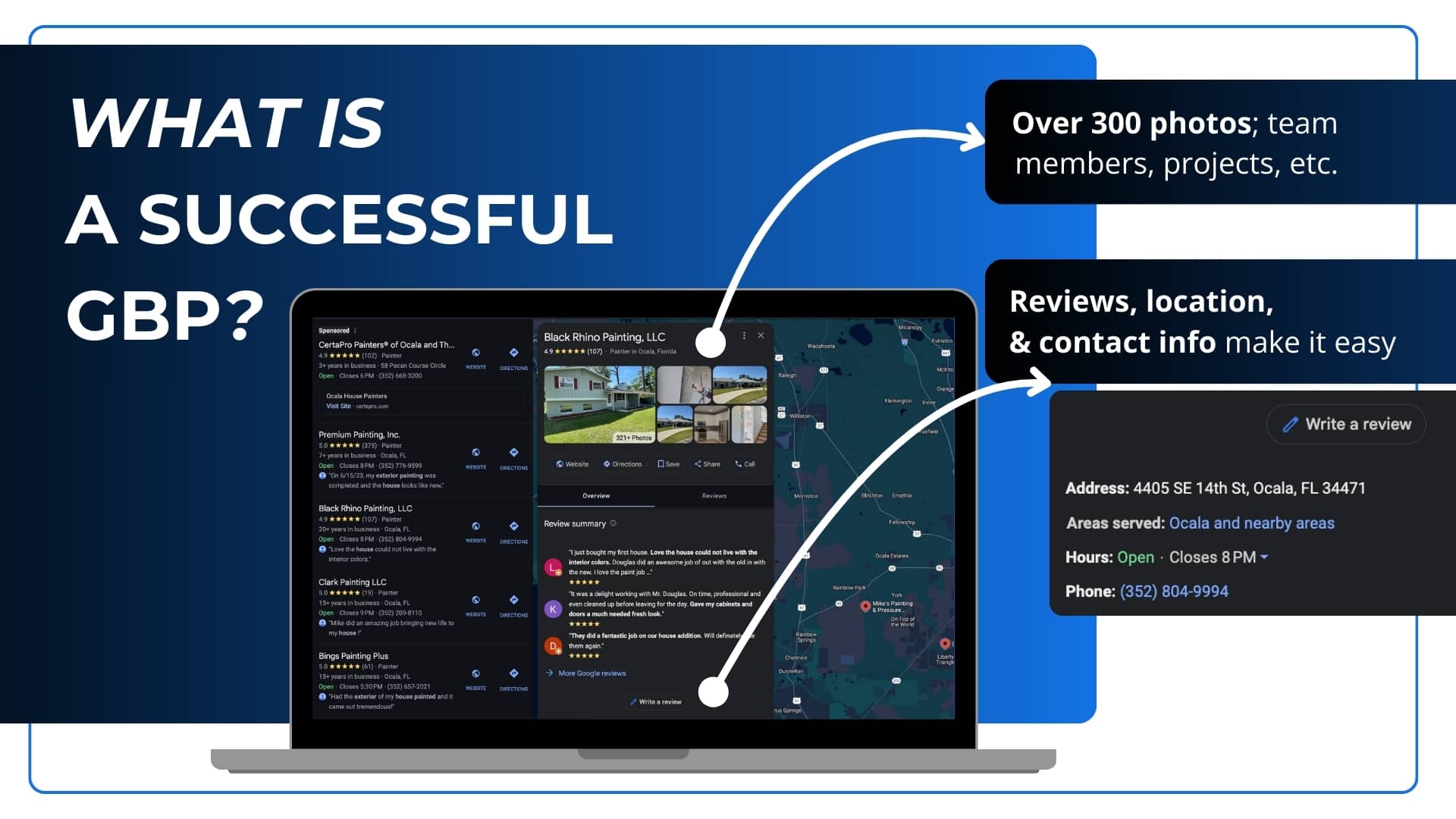
A profile set up for success includes:
- Accurate and complete business information
- Active updates and customer engagement
- Strategic use of categories, photos, and keywords
If you’re not seeing local traffic or any solid leads, start by asking:
- Are your business hours current?
- Are you showing what makes you different from nearby competitors?
- Are you uploading new photos or responding to reviews regularly?
If the answer is no, your profile may be sending all the wrong signals to Google and your future customers.
6 Steps to Google Business Profile Set Up Done Right
Whether you’re starting from scratch or trying to clean up an existing listing, the setup process is more than a quick form. Whether you’re starting fresh or fixing a neglected profile, every detail matters. Here’s the right way to set it up:
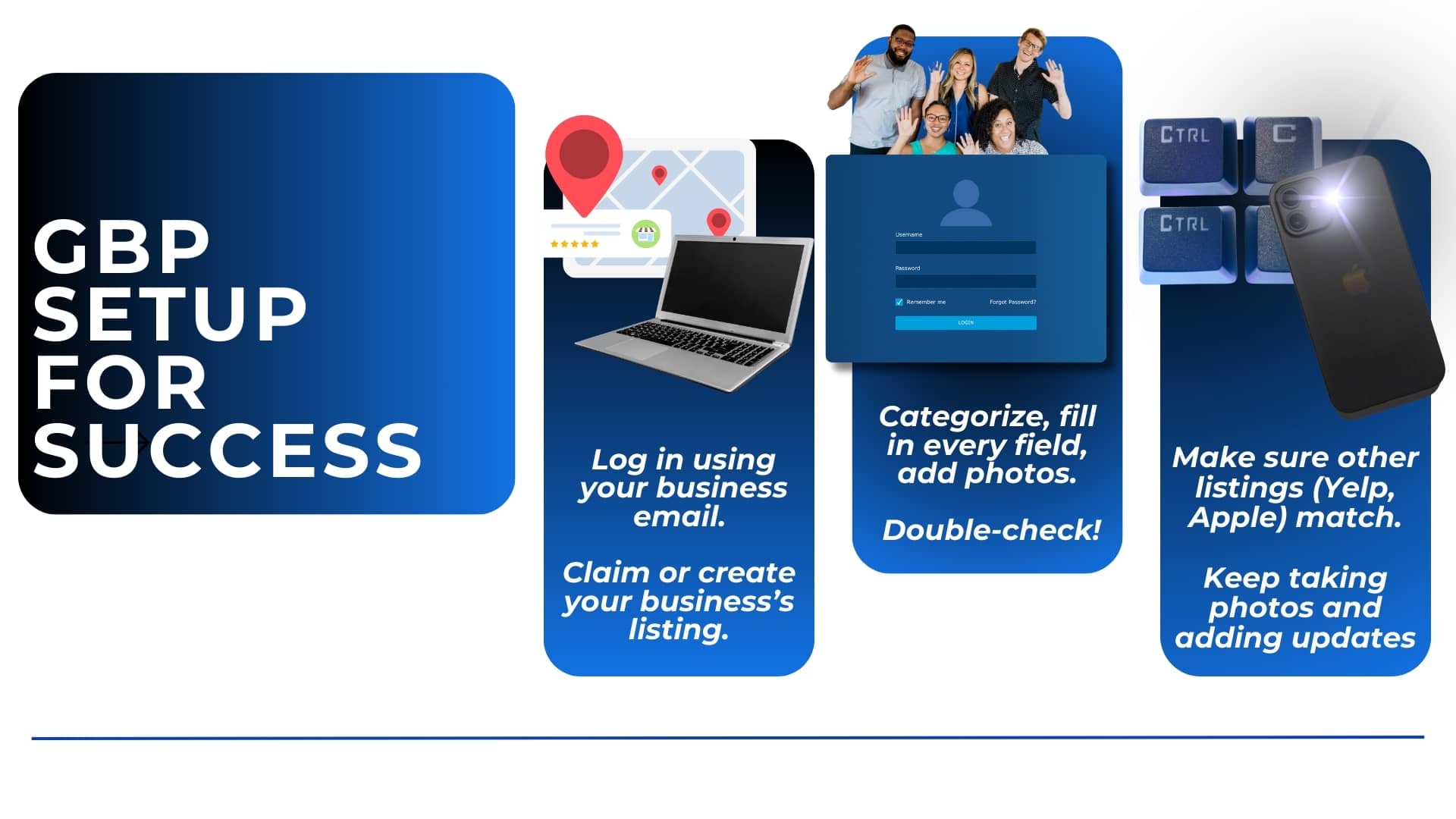
- Log in to Google with the email you want to use to manage your business
Ideally, this should be your business’s primary account, not a personal one. - Visit Google Business to create or claim your profile
Follow the prompts. If your business already exists, claim the listing. If not, create a new one. - Pick the most accurate primary category
This tells Google what you do. Be specific. “Plumber” is probably better than “Contractor.” You can add secondary categories later, but the primary one matters most. - Fill in all your core details
Business name, address, phone number, website, hours, and service areas. Don’t skip anything. - Verify your business
This step is essential. Google will usually send a postcard, but sometimes you’ll get phone or email options. Until you’re verified, your profile won’t appear live. - Check your info elsewhere
Make sure your business name, address, and phone number (NAP) are consistent across platforms like Yelp, Facebook, and Apple Maps. Inconsistencies can hurt your rankings.
Targeting the Locals
Once your basics are covered, optimization is where real results start to happen. Google uses a combination of content, consistency, and engagement signals to decide where you appear in search results. Here’s where to focus:
- Photos and videos: Real, high-quality visuals improve credibility and engagement. Include your storefront, team, and actual work. Google favors natural-looking photos, not overly edited images. Stick to clear JPG or PNG files and upload new photos regularly to boost engagement and improve your chances of showing up in the local Map Pack.
- Services and products: Add all core offerings with descriptions. Be specific and use natural keywords that customers might search.
- Business description: Keep it readable and helpful. Avoid keyword stuffing.
- Attributes: These are labels like “Wheelchair Accessible” or “Online Appointments Available” that help users find you based on filters.
Every element you complete adds another signal to Google that your business is real, trustworthy, and worth showing in results. You’re offering the right make-or-break answers to locals with real conversion intent right now.
Key Optimization Factors You Might Be Missing
Even after you complete the basics, certain behind-the-scenes elements can make a major difference in how often your business appears in search and how customers interact with your listing. These factors help Google validate your business, boost relevance, and highlight the information that drives conversions.
| Optimization Element | Why It Matters | What You Should Do |
|---|---|---|
| Local Search Justifications | Google uses snippets from your posts, reviews, and services to show users why your business matches their search | Keep service details updated and post regularly so justifications appear more often |
| Post Frequency | Consistent profile activity helps Google recognize your business as active and trustworthy | Share weekly updates, offers, or announcements to stay visible in search |
| Photo Recency | New photos increase customer engagement and help maintain profile freshness | Upload current photos of your team, work, and location throughout the month |
| Product and Service Order | Google may display your top listed items first, which can influence clicks and conversions | Place your highest value or most searched service at the top of your list |
| Profile Stability | Frequent edits or incomplete information can lead to verification issues or suspensions | Keep details accurate, avoid keyword stuffing, and maintain documents for verification |
How to Post Effective Google Business Profile Updates
A Google Business Profile that never gets updated quickly loses visibility. Google favors businesses that post regularly, and customers do too. Consistent updates show that your business is active, reliable, and paying attention to what people need.
Simple ways to post effective updates:
- Share quick highlights about your services, offers, or recent work
- Announce events or seasonal changes
- Post photos or short videos that show what’s happening in your business
- Use the Q&A section to answer questions customers frequently ask
Posting even once a week helps keep your profile current and more likely to appear in local searches. If your updates stop, your visibility usually does too.
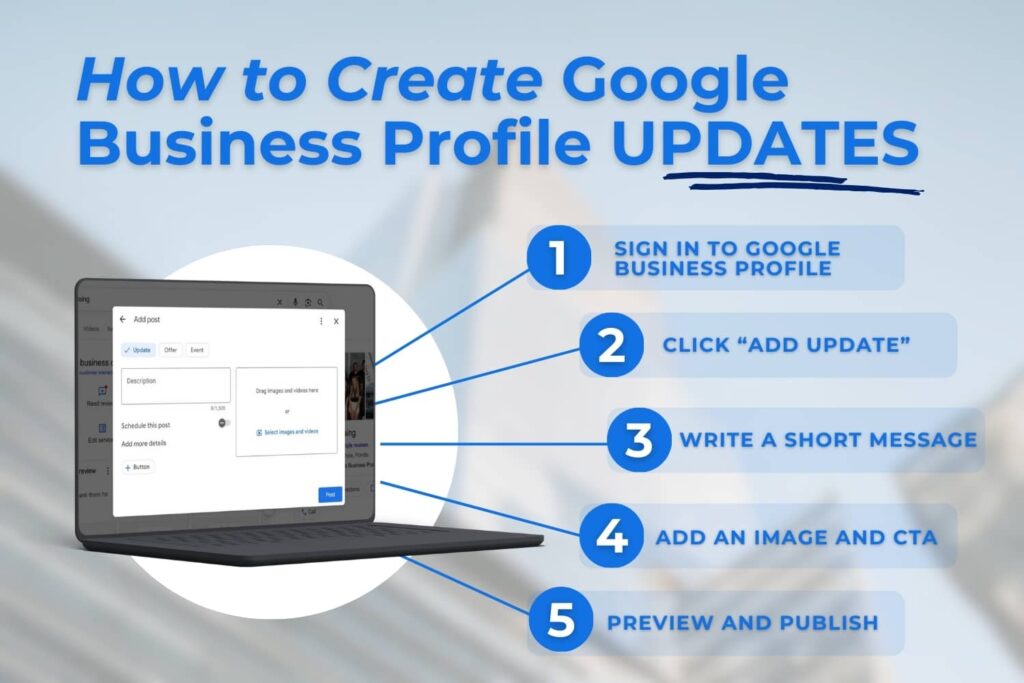
Google Updates help your business stand out in search and boost click-through rates. Keep them fresh with regular photo or video updates, use clear CTAs, and post Offers, Updates, or Events. Consistent activity keeps your profile relevant and more visible to local customers.
Reputation and Results
Reviews are one of the most influential parts of your profile. They affect both your ranking in search results and how likely someone is to choose you.
Encourage satisfied customers to leave reviews after positive interactions. Make it easy by sending direct links or including a request in your follow-up emails.
Equally important: respond to reviews. Thank customers for positive feedback and address negative comments with professionalism and clarity. Google notices when businesses engage, and so do future customers.
Your Profile, Post Set-Up
Once your profile is in good shape, you can take it further by syncing it with your broader marketing strategy. Here’s how:
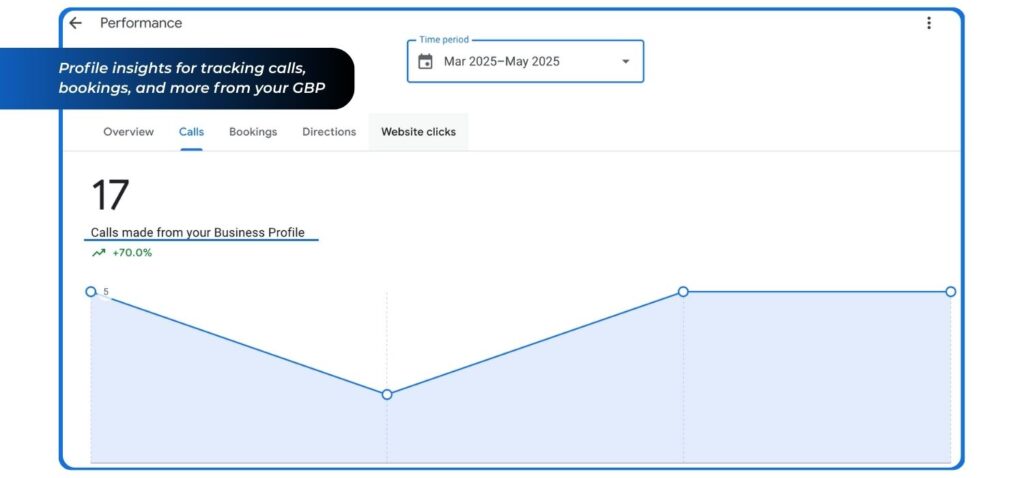
- Use Insights: Google’s built-in analytics show how people find and interact with your profile. Review it monthly to spot trends.
- Build local links: Listings on directories like Yelp, Apple Maps, and industry-specific platforms help boost authority and consistency.
- Sync with PPC and SEO: Your GBP works best when it complements your ads, landing pages, and organic content. Consistency across platforms builds trust and drives better conversion.
Don’t think of it as a standalone tool. Think of it as a foundational piece of your full local marketing ecosystem.
Related Questions
How often should I update my Google Business Profile?
Once a week is enough to show activity and keep your profile relevant.
What helps me show up in the local pack?
Accurate info, correct categories, consistent NAP, fresh photos, and steady review activity.
Will editing my profile require re-verification?
Only major changes, such as your business name, address, or category, may trigger re-verification.
How important are reviews?
Very important. They influence both ranking and whether customers choose you.
What if my profile isn’t generating leads?
Check for complete details, updated photos, regular posts, strong services, and consistent NAP.
Conclusion
If your Google Business Profile isn’t set up for success, you’re not just missing a ranking opportunity. You’re missing real business. Now you’re ready to head in the right direction!
At WolfPack Advising, we help service businesses optimize every touchpoint online. From local SEO to paid ads to reputation strategy, whether you need a profile overhaul or a full-scale local marketing plan, we’re here to make sure your presence truly performs.
Ready to stop losing local leads? Let’s get your profile working for you.