
Google is moving Local Services Ads out of its own familiar dashboard and into a type of Google Ads campaign called Performance Max. The first accounts moved in August 2026, and the rest follow through 2027.
Your ads still show on Search and Maps. You still pay per lead. Your badge and your past leads come with you. But a few things change in ways that can cost you money, one thing gets deleted if you don’t save it first, and one promise Google used to make to your customers is gone.
Here is what local service ads management looks like now, in plain English.
What Changed, In Plain English
You used to log into a separate website to manage your ads. That website is closing. Your ads now live inside Google Ads, in what Google calls a Performance Max campaign.
Don’t let the name worry you. Nothing about where your ads appear is changing.
| Before | Now |
|---|---|
| Separate Local Services Ads dashboard | Everything inside Google Ads |
| Local Services Ads lead inbox | Google Ads Lead Manager |
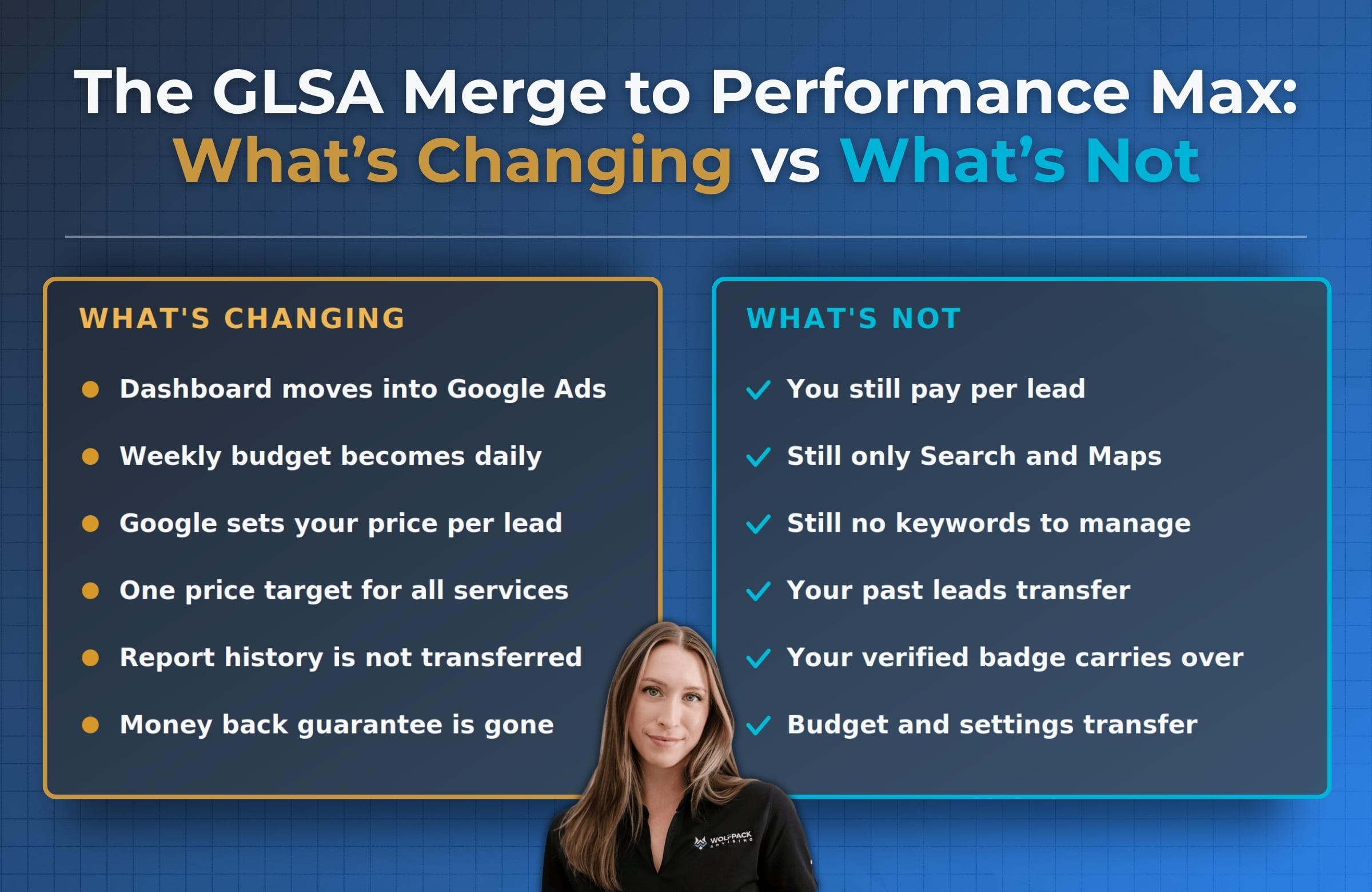
| Weekly budget | Daily budget |
| You set your top price per lead | Performance Max sets it for you |
| A price target for each service you offer | One price target for everything |
| License and insurance reverification | No longer required |
| Better Business Bureau callout on your ad | Discontinued, pick a different one |
Your migration date depends on what you do and where you are:
- August 2026. Plumbing, HVAC, electrical, appliance repair, house cleaning, lawn care, roofing, pest control, and moving.
- Late 2026. Businesses with no storefront, plus anyone running custom bidding or booking setups.
- 2027. Everyone else, including accounts outside the U.S.
Google emails you 14 days before your account moves, puts a banner in your dashboard, and emails again 7 days out. You cannot pick your date, and you cannot opt out.
What Is a Performance Max Campaign?
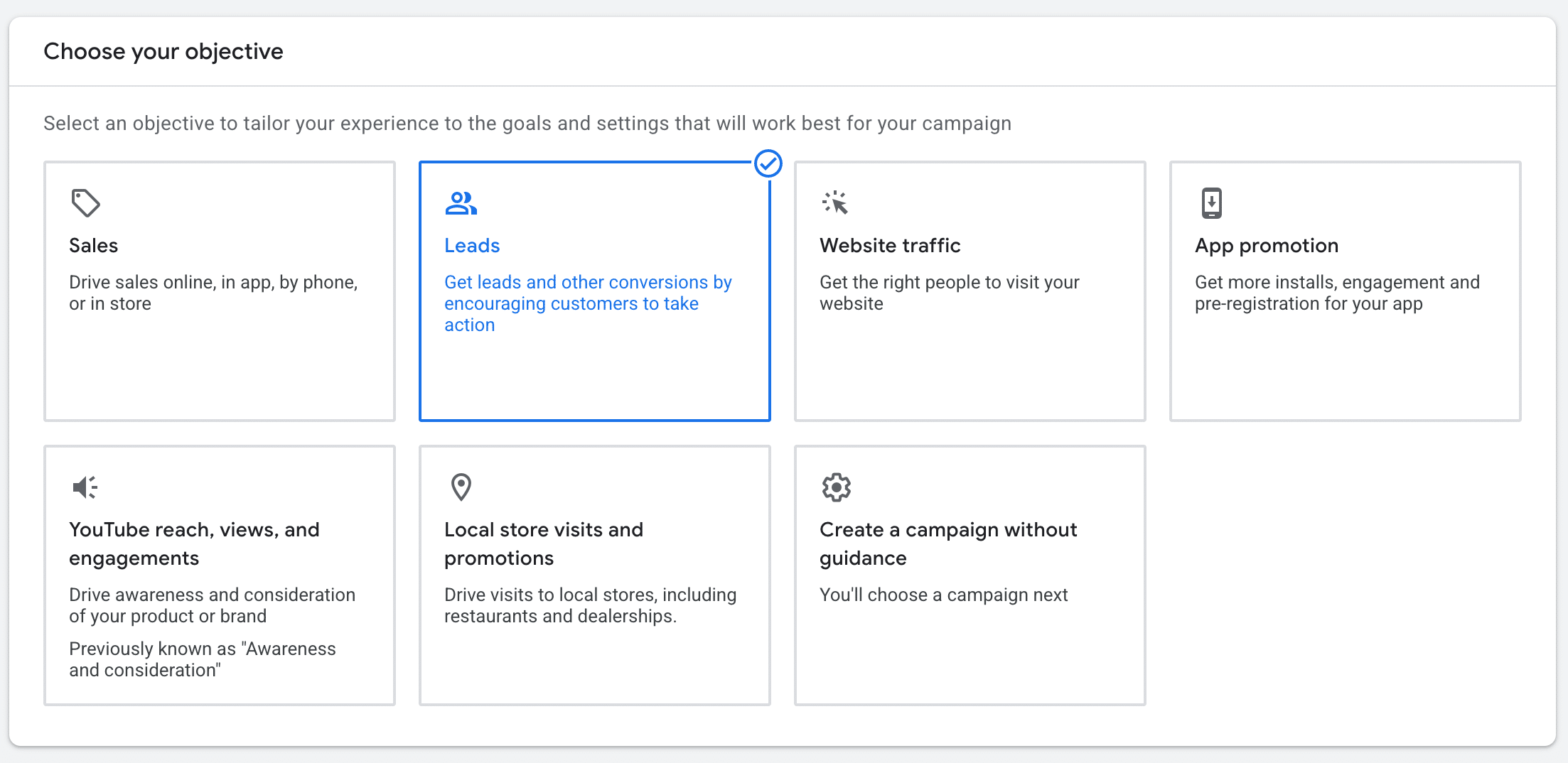
Performance Max is Google’s automated campaign type.
You give it a goal and a budget, and it decides where to show your ad and what to pay for each lead. You are handing Google the steering wheel and keeping your hand on the budget.
Normally, a Performance Max campaign runs your ad all over the internet, including YouTube, Gmail, and websites that sell ad space. That is not what is happening here. Your version is limited on purpose.
It stays on Google Search and Google Maps; it still charges you per lead instead of per click, and there is no ad creative for you to build.
You got the automation, not the extra reach.
What Is Not Changing
Most of what people worry about is staying exactly where it is.
- You still pay per lead, not per click.
- Your ads still show only on Search and Maps.
- There are still no keywords to manage. Targeting runs off your service categories and service areas.
- Your past leads and customer details transfer automatically.
- Your verified badge carries over. Nothing to reapply for, and your spot in the ad rankings is not affected.
- Your budget, settings, and ad copy transfer. You are not rebuilding from scratch.
For the bigger picture on which channel wins when, we covered how Local Services Ads and Google Ads differ.
Do This One Thing Before Your Migration Date
Your report history does not transfer. Save it now.
Your leads come with you. Your performance reports do not. Google’s own documentation is direct about this. Once your account moves to Performance Max, that history is gone from the screen, and there is no button to bring it back.
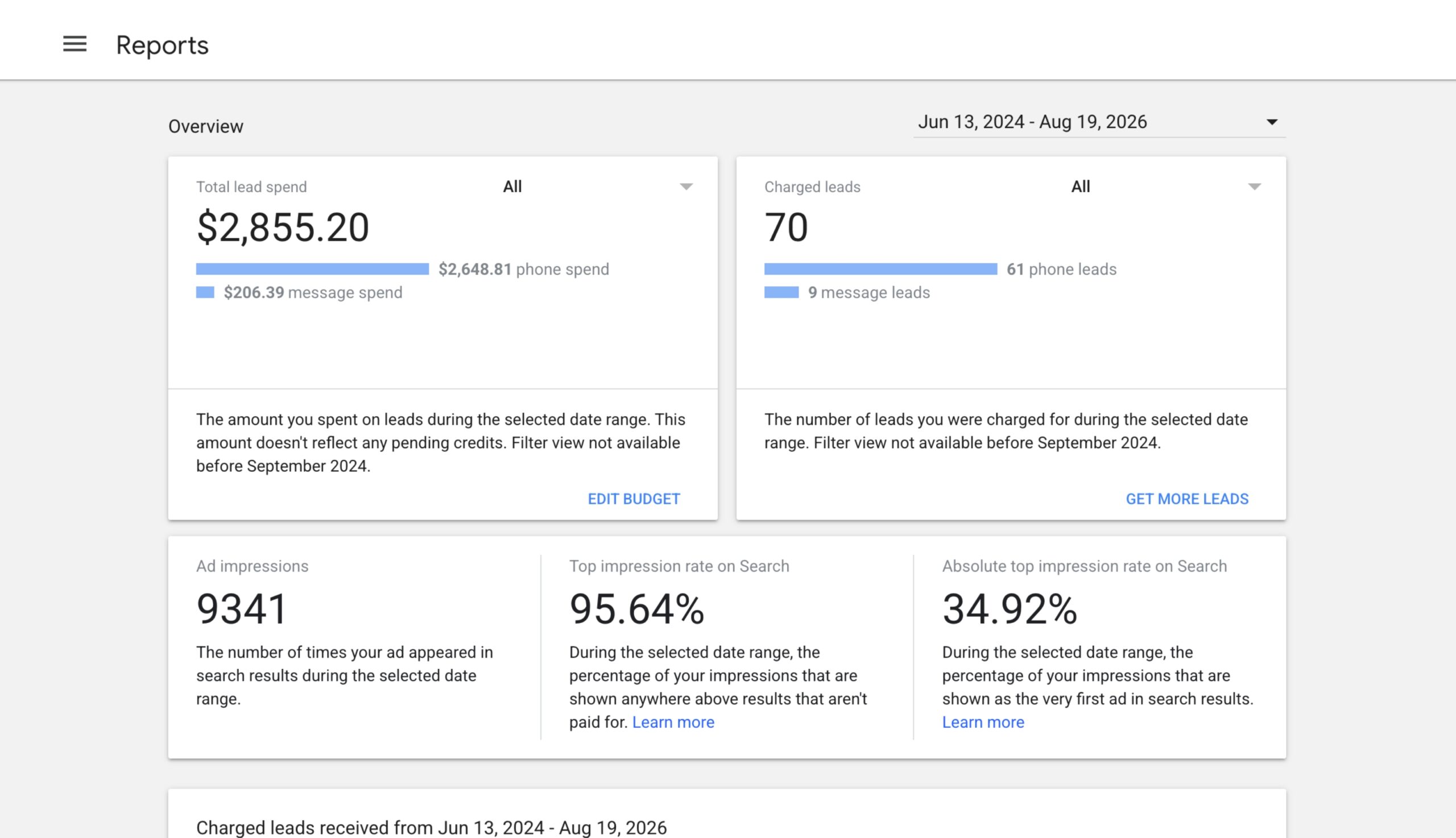
When the 14-day email shows up:
- Log into your current Local Services Ads dashboard
- Set the date range as far back as it will go
- Export every report the dashboard will give you
- Save the files somewhere real, not your downloads folder
- Write down three numbers by hand
Those three numbers are leads per month, cost per lead, and cost per lead for each service you offer.
That third one is the number everybody skips, and it is the one that matters most. In three months, when you are trying to figure out whether this change helped you or hurt you, it is the only way to answer honestly.
Three Changes That Can Cost You Money
None of these are obvious from Google’s announcement email. All three can cost you money.
1. Your Budget Is Daily Now, Not Weekly
Google takes your old weekly budget and divides it by 7. That becomes your daily budget. Your monthly ceiling is that daily number multiplied by 30.4.
What this means for you: your spending will swing from day to day. Performance Max spends more on a busy day and less on a slow one. A single day will look wrong. The month will come out right. Do not make changes based on one bad Tuesday.
2. You Cannot Set Your Own Price Per Lead
Manual bidding is gone. You used to be able to say “I will not pay more than $60 for a lead.” Not anymore. Performance Max decides what to pay for each lead, aiming at a target price you give it.
Here is the part that actually hurts. You now get one target price for your whole campaign. Before, you could set a different target for each service you offer.
Picture a plumbing company. A drain cleaning lead might be worth $40 to you. A water heater replacement lead might be worth $300.
One target price averages those together, and the result is wrong for both. You either overpay for small jobs, or you stop showing up for the big ones that actually pay your bills.
What this means for you: if your jobs are worth very different amounts, you need separate campaigns for them. That is a rebuild, not a setting you flip. It is also the single most common reason accounts get worse after they move.
3. Google Dropped the Money Back Guarantee
This one is important, and almost nobody is talking about it.
The old Google Guarantee badge came with a real promise to your customers. If a customer was unhappy with the work, Google would reimburse them. Google has discontinued that. Their own help page states that Google “will be discontinuing the Money Back Guarantee associated with the Google Guarantee badge.” Customers had until December 7, 2025, to file a reimbursement request.
The badge still exists. It is now the Google Verified badge, and it means you passed Google’s screening process. That is all it means. It does not promise anyone their money back.
We broke down what the badge signals today in what the Google Verified badge means.
What this means for you: go look at your website, your proposals, your truck wraps, and your sales script. If any of them say Google guarantees your work, that language is now wrong. Fix it before a customer holds you to it.
Two More Things Worth Knowing
- Editing your Google Business Profile can shut your ads off. Your Business Profile now feeds Performance Max directly. Change your business name or your address, and Google runs a verification review that takes 24 to 48 hours. Your campaigns may pause for that whole window. Do not update your address in the middle of your busy season. Do it on a slow Monday.
- You cannot dispute bad leads by hand anymore. Google ended manual lead disputes back in 2024. Now Google reviews charged leads on its own and may credit you automatically if it decides a lead was low quality. Your only input is the short survey after each lead. Fill out that survey. Every single time. It is the only say you have left in lead quality.
What Local Service Ads Management Looks Like Now
Rather than being a one-time event, this transition permanently changes the work.
You used to manage these ads by setting prices. Those controls are mostly gone. What is left is giving Performance Max good information and catching problems quickly.
Local service ads management is a monitoring job now, not a bidding job.
Here is what that looks like every month:
| Task | Why it matters |
|---|---|
| Review your target price | Is it still right for the work you are winning? Change it in small steps and wait two weeks before judging |
| Check budget pacing | Look at the month, not the day |
| Fill out every lead survey | Your only remaining lever on lead quality |
| Cut weak service categories | Cheap leads for work you cannot profit on drag your whole average down |
| Watch your response time | Unanswered calls are still the fastest way to waste paid leads |
| Keep reviews coming in | Reviews still decide who gets picked out of the ad block |
| Rebuild your reporting | Your history is gone, so start a clean baseline in month one |
One more thing catches people off guard. Your Local Services Ads now sit in the same account as everything else you run. If you already have a regular Performance Max campaign, you now have two of them pulling from the same account and bidding into overlapping auctions.
They can quietly compete with each other. Nobody is writing about this yet, and it is worth checking. If your map presence needs work generally, start with ranking higher on Google Maps.
For getting better leads instead of just more of them, we go deeper in our Local Services Ads strategy guide.
Related Questions to Explore
Are Local Services Ads going away?
No. The separate dashboard is going away, not the product. Your ads keep running in the same two places, on the same pay-per-lead billing, with the same badge. What changes is that you now manage them as a Performance Max campaign inside Google Ads.
How much do Google Local Services Ads cost?
You pay per lead instead of per click, usually somewhere between $10 and $100 or more depending on your trade and your city. Competitive trades in big metros sit at the high end. Since you can no longer cap your own bid, the target price you give Performance Max is what drives your cost.
Does Performance Max mean my ads will show on YouTube?
No. This is the most common worry, and it is unfounded. A regular Performance Max campaign runs across YouTube, Gmail, and Display. Your pay-per-lead version stays on Google Search and Google Maps. You get the automation without the extra placements.
How do I dispute a bad lead now?
You cannot, at least not by hand. Google replaced manual disputes with automatic credits in 2024. Charged leads get reviewed over time and may be credited automatically. Fill out the survey after every lead, because it is your only input. Credits are not available in a few categories, including health care and tax specialists.
How do I change the phone number on my Local Services Ads?
Inside Google Ads, in real time. This is one of the few things that got easier instead of harder. Update it there rather than in your Business Profile, then make a test call to confirm it connects.
How do I pause my Local Services Ads?
In Google Ads, pause your Performance Max campaign the same way you would pause any other campaign. Also worth knowing: a Business Profile edit can pause you by accident for a day or two. If your ads stop and you never touched them, check whether someone updated your profile.
When Should You Partner With an Agency?
Plenty of owners run their own Local Services Ads. If you are one trade, one location, one service area, you can probably keep doing that. Answer your phone, fill out your surveys, watch your target price, and you will be fine.
The math changes if any of these sound like you:
- Your jobs are worth very different amounts. One target price across everything is a structural problem. Fixing it means splitting into separate campaigns, not adjusting a setting.
- You have more than one location. Multi-location and franchise accounts are the hardest version of this move, and Google’s instructions barely address them.
- You already run other Google Ads campaigns. Your Local Services Ads now share an account with them and can compete for the same budget and the same auctions.
- Your cost per lead moved, and you cannot tell why. With no report history and no manual bidding, diagnosing that takes someone who can compare the pattern across many accounts.
That last one is the honest reason to call somebody. Your own account gives you one data point. We see the pattern across a lot of them.
See how we manage Local Services Ads
for businesses like yours.
We run Local Services Ads and Google Ads for home service companies across the country, and we are already moving accounts through this migration. See what that looks like in a real account.
Wrapping Up
This move is bigger than Google’s announcement makes it sound and smaller than the panic online suggests. You are not losing your ads, your badge, or your billing model. You are losing a dashboard, some manual control, and your report history.
A quick recap:
- Export your performance reports before your migration date. It is the only piece of this you cannot undo.
- Check your marketing for “Google guaranteed” language, because that promise ended and the badge no longer backs it.
- Plan your campaign structure around what your jobs are actually worth, since one target price now covers all of them.
If your business runs on leads, this is not something to sort out in month three. Our team handles local service ads management for home service companies across the country, and we are already moving accounts through this migration.
Get a custom proposal, book a free call, and we’ll tell you what to handle first.