

Yes, Claude can build a website. We have used it to build real, working pages, and so have our clients. The harder question is whether you should hand it 100% of the job.
At WolfPack Advising, we build websites for a living, and we have watched Claude grow from a fun experiment into a genuinely useful tool.
We have also watched business owners trust it with everything, win a burst of traffic, and then lose all of it a month later. This guide covers what Claude can really do, which version to use, what it costs, and the exact point where it stops being enough.
Which “Claude” actually builds a website?
There is no single Claude that builds a website. There are three, and picking the wrong one is the first mistake most people make.
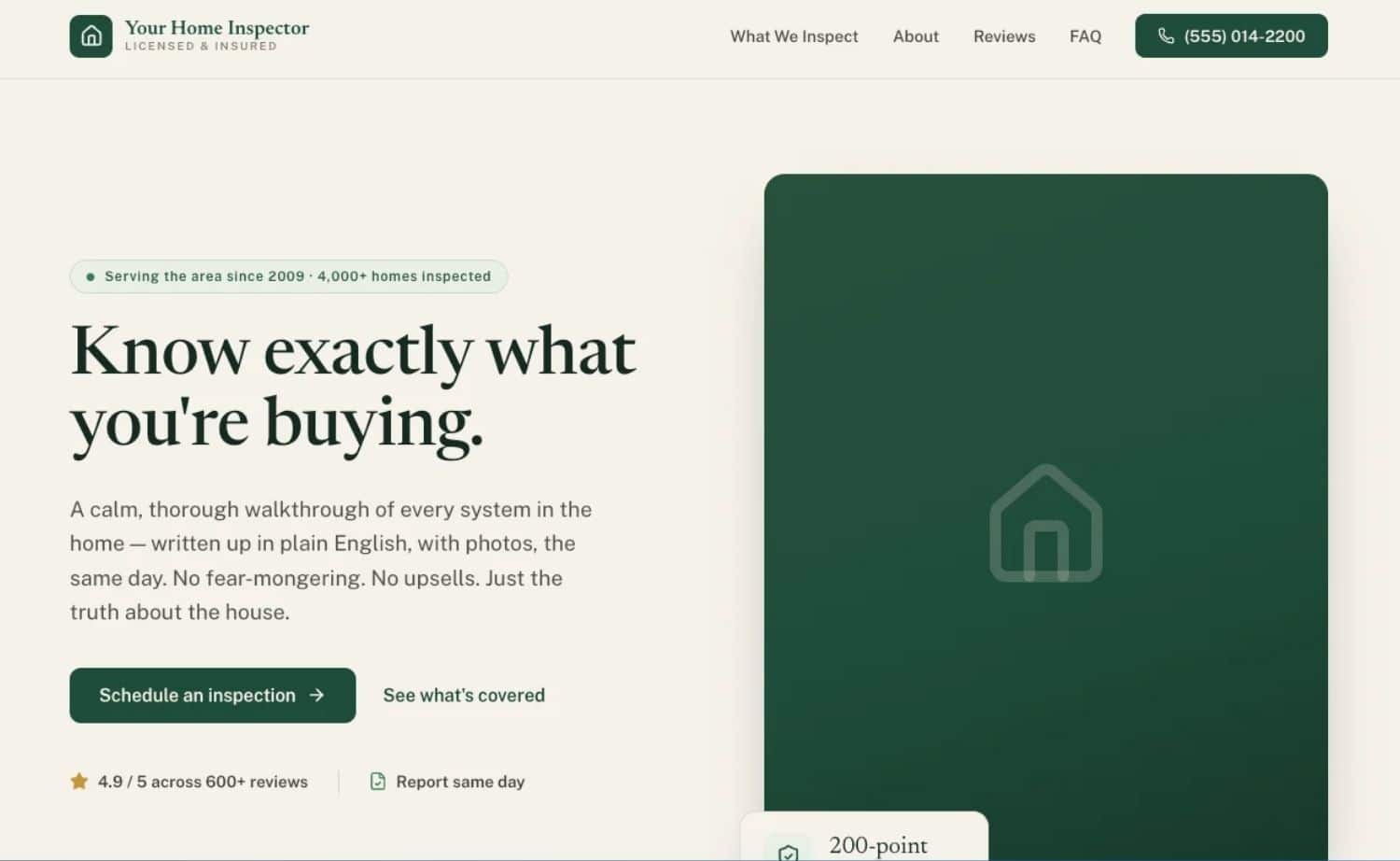
The three Claudes explained:
- Claude on the web (claude.ai) with Artifacts. You describe a page, and Claude writes the HTML, CSS, and JavaScript, then shows a live preview in a sandbox. Artifacts is frontend only. It has no backend, no database, and no hosting, so the preview is not a site the public can visit yet. It is great for mockups and single-page ideas.
- Claude Code. This is the agentic version that runs in your terminal or the desktop app. It writes full multi-file projects, runs commands, creates a GitHub repository, and can deploy a live site to a host like Cloudflare Pages, Netlify, or Vercel. It also works well with modern frameworks like Astro. This is the one that actually gets you a working website.
- Claude for non-coders (Cowork + connectors). If you would rather not touch a terminal at all, Claude’s desktop app has a Cowork mode that works directly with the files on your computer, plus a GitHub connector that lets Claude push your project to a repository for you.
- From there, a host like Cloudflare Pages publishes it. It is a guided, near no-code path: you describe and steer, Claude handles the file and Git work. It lowers the bar, but it does not remove the need to know what “good” looks like.
The three Claudes
| If you use… | You get | Live public site? | Best for |
|---|---|---|---|
| claude.ai + Artifacts | A frontend preview | No, preview only | Mockups, single pages, testing an idea |
| Claude Code | A full, multi-file project | Yes, deploys to a host | Real websites, portfolios, business sites |
| Claude Cowork + connectors (desktop) | A guided build and publish | Yes, with setup | Non-coders who want a simple static site |
How to build a website with Claude, step by step
You can get a simple website live with Claude Code in an afternoon. Here is the path we and most guides follow, including Anthropic’s own walkthrough.
1) Set up Claude Code. Install it, sign in with a paid plan or an API key, and open the terminal or the desktop Code tab.
2) Create a project folder. Make an empty folder for your site so Claude has a clean place to work. This becomes your GitHub repository later.
3) Write your first prompt. Describe the site in plain language. Tell Claude who it is for, what pages you need, and the look you want. You can even paste a screenshot of a design you like, and Claude will read it and match the style.
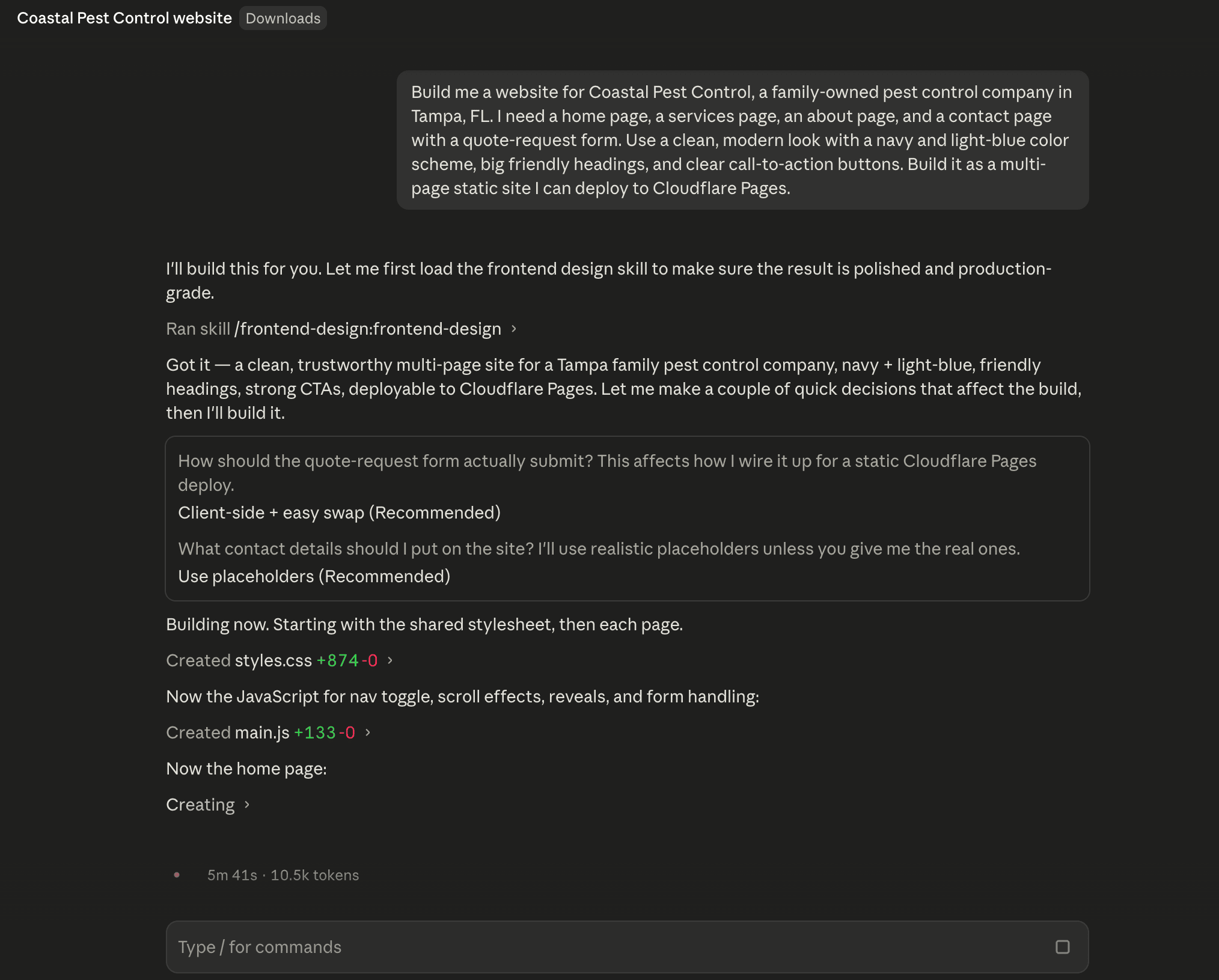
4) Preview and iterate. Claude builds the pages, and you review them. Ask for changes the way you would talk to a designer: “make the header sticky,” “use our brand blue,” “add a contact form.” Pick a stronger model like Opus for tricky design work and a faster one like Sonnet for small edits.
5) Push to GitHub. Claude Code can create the repository and save your project so nothing gets lost.
6) Deploy to go live. Connect the project to Cloudflare Pages (the most common free choice), Netlify, or Vercel. Claude walks you through it, and minutes later you have a live URL.
7) Connect a custom domain. Point your domain at the host so visitors see yourdomain.com instead of a random address.
8) Update it later. When you need a change, open the project and prompt Claude again. It edits the files, and you redeploy.
That flow covers a static site, a portfolio, or a simple business page. Bigger add-ons like Stripe payments, a Supabase database, or advanced contact forms are possible with Claude Code, but each one adds real complexity.
What building a website with Claude really costs
Claude can get you a live site for almost nothing to start, but “free” ends quickly once the site has to do real work. Here is the honest breakdown.
What it costs
| Item | Typical cost | Notes |
|---|---|---|
| Claude plan | $0 to $100+/mo | The free tier is limited; real builds need Pro, Max, or API credits |
| Domain name | ~$10 to $20/yr | Bought from a registrar |
| Hosting | $0 to start | Cloudflare Pages, Netlify, and Vercel have free tiers for static sites |
| Payments (Stripe) | ~2.9% + 30¢/sale | Only if you sell online |
| Database / email (Supabase, Resend) | $0 to $25+/mo | Needed for logins, forms, or dynamic content |
| Your time | The real cost | Prompting, testing, and cleanup add up fast |
The tools are cheap. The time and the expertise to use them well are not.
Where Claude breaks down (the 30% you can’t ignore)
Claude gets you most of the way there, maybe 70%. The last 30% is design polish, working code, SEO, and long-term maintenance, and that is where we watch DIY projects fall apart.
Here is what we see over and over:
- Design gets repetitive. Left alone, Claude leans on safe, generic layouts and default colors. Across a full site, pages start to look the same. And “the same” is not the same as “good.”
- Code breaks. On bigger builds, things break in ways a non-developer cannot spot or fix. You do not know what you do not know, and that is how small issues turn into broken pages.
- SEO goes the wrong way. Claude can add basic SEO, but it does not own a strategy. We have seen sites built this way chase the wrong keywords and structure pages in ways that quietly cap their traffic. (If you want to see how your current site reads to AI search engines, our free AEO Grader gives you a quick score.)
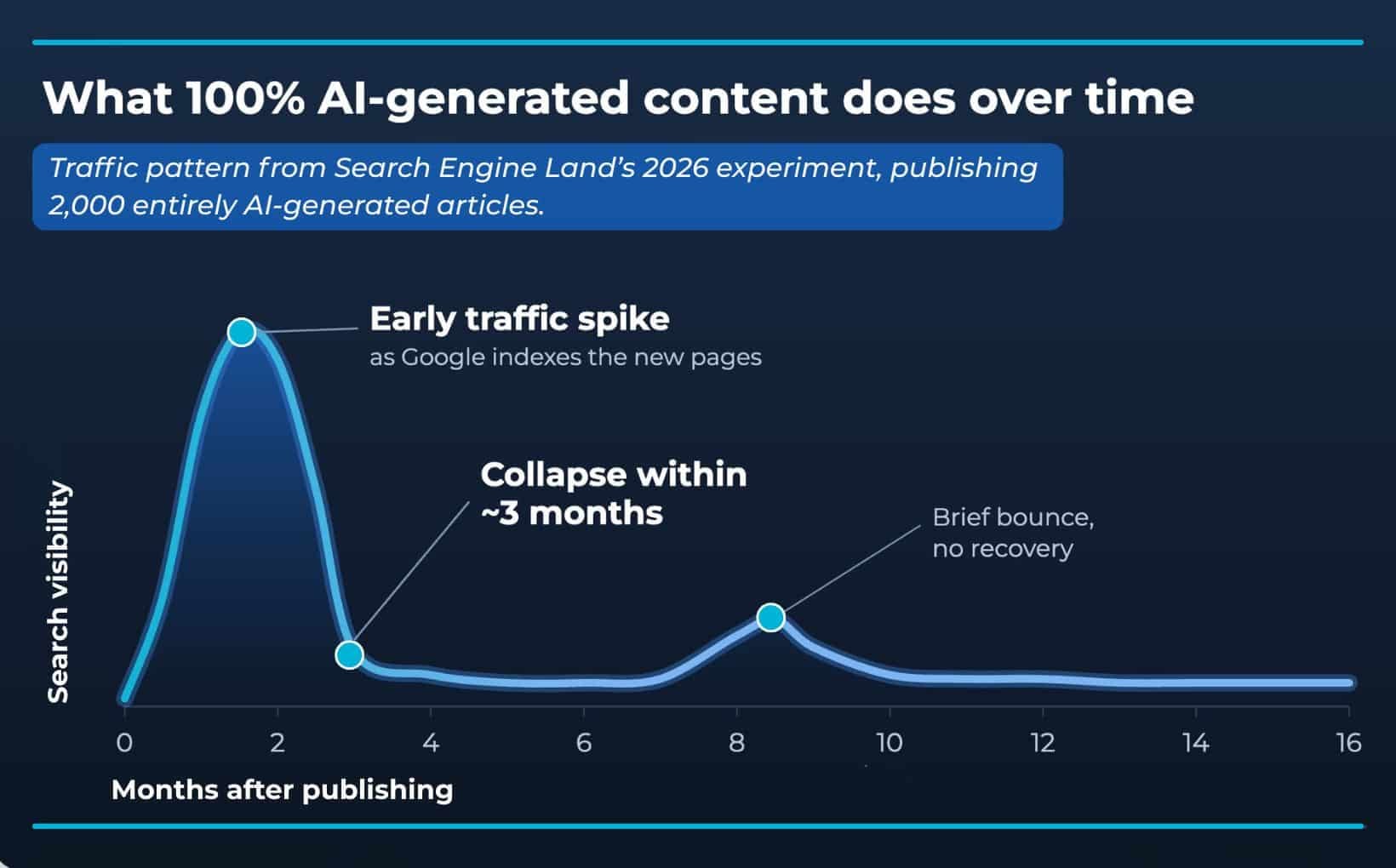
- AI content does not scale safely. This is the big one. You cannot lean on AI for 100% of your content and expect it to last. We have watched sites publish a wave of AI content, see a huge jump in traffic, and then lose almost all of it within a month or two.
- This is not just our experience. In a 16-month experiment, Search Engine Land published 2,000 AI-generated articles and watched them get indexed and pull early traffic, then collapse to almost nothing within a few months.
Dig into this more in our guide to AI in digital marketing.
We learned this on our own site, too
We tried to build the WolfPack website using Claude to design and Claude Code to develop, with no separate build team, as a way to test if the tools would save us from hiring people who actually do this.
The tools saved time and helped a lot, but we still needed real people prompting, steering, and going in by hand to clean up and polish.
No magic button replaces a design and development team. That is the honest takeaway.
Claude Code and Claude are amazing tools, and we recommend them without hesitation to people who know what they are doing. A designer should use Claude Design to work faster. A developer should use Claude Code to build faster.
This is why we build custom websites instead of shipping a template and walking away.
But for someone who has never touched these tools and does not understand the backbone underneath, that is where the big, expensive mistakes happen. You get oversold on the hype, and you waste your time.
Related questions to explore
Can Claude build a WordPress website?
Not directly. Claude Code builds sites from code, usually as a static site or a modern framework, not inside the WordPress dashboard. It can help you write custom code, a plugin, or a theme for WordPress, but it will not click around the admin panel for you. If WordPress is the goal, compare your options first in our breakdown of WordPress vs. Squarespace.
Can Claude build a Shopify website?
Claude will not build a full Shopify store for you, but it is a strong helper around one. It can write custom Liquid templates, edit theme code, and draft product descriptions. The store setup, apps, and payment flow still run through Shopify itself.
Can Claude build a website from scratch?
Yes. Claude Code can start from an empty folder and write every file your site needs, then deploy it live. “From scratch” still means you supply the direction, the content, and the judgment about what good actually looks like.
Can Claude make a website for free?
Yes, you can start for free. Claude has a free tier, and hosts like Cloudflare Pages are free for simple static sites. Real projects usually need a paid Claude plan and a domain, and any serious features add cost, so “free” rarely lasts.
Do you need to know how to code to use Claude for a website?
No, but it helps far more than people admit. You can get a simple site live without writing a line of code. The moment something breaks, or the site needs to rank and convert, code and marketing knowledge is what saves the project.
That connection between build quality and search performance is covered in combining SEO and website design.
When should you partner with an agency?
Claude is enough for a personal page, a quick portfolio, or a simple site you are experimenting with. Bring in a professional the moment your website has a real job to do. That means:
- Your site is your main source of leads or sales.
- You need it to rank on Google and pull in traffic that sticks.
- You need e-commerce, logins, or anything with a backend.
- You do not have time to be the human in the loop, prompting and cleaning up.
We saw why this matters firsthand. A business came to us after scaling their content with AI and building their sites with Claude. They had already lived the spike-then-cliff we described above, on two different websites, before they ever called us.
By the time they reached out, the DIY path had already backfired, and undoing it took real expertise. Rebuilding trust with Google is a lot slower than losing it.
That is the pattern: the tool gets you started, and a pro keeps you from losing what you built.
At WolfPack Advising, we build custom websites designed to perform, convert, and scale, with humans steering the whole way.
Conclusion
So, can Claude build a website? Yes, and it is genuinely impressive. Just go in with clear eyes.
- Claude Code can get you a real, live site, and Artifacts is great for mockups.
- Use Claude Design to help create polished designs and iterate quickly; however, professionals may prefer Figma still at this time.
- The tools handle about 70%… Design polish, working code, SEO, and content that lasts are the 30% that decides whether your site actually works.
- Treat Claude as a tool for people who know what they are doing, not a replacement for them.
If your website needs to bring in real business, let’s build one that lasts. See how we approach websites at WolfPack Advising, or reach out, and we will take a look at what you have.