



SEO for home services means getting your business in front of local homeowners when they search for what you do, like “AC repair near me” or “termite inspection in Tampa.” For most trades, that comes down to three places: the Google map results, your website, and now AI answers.
Most of the work is a checklist, not a mystery. Below are the 15 steps we check first when a plumber, roofer, or home inspector asks why the phone isn’t ringing.
What Is SEO for Home Services?
SEO for home services is local SEO plus a website that turns searches into calls. SEO (search engine optimization) helps Google show your business without you paying per click.
There are two main results to win:
- The map pack. The box of three businesses with a map at the top of local searches. When a pipe bursts at 9 p.m., this is where homeowners tap first.
- Organic results. The regular blue links below the map, where your service pages and blog posts compete.
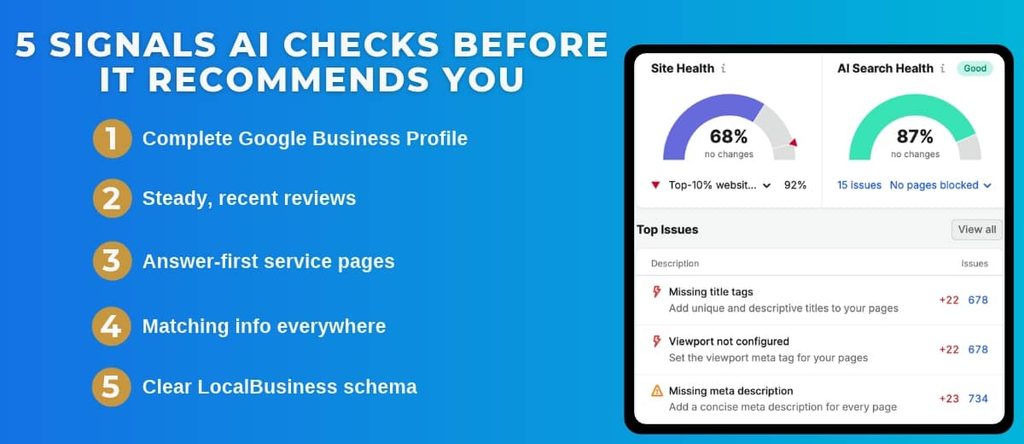
AI tools like Google’s AI Overviews and ChatGPT now answer “who should I call” questions too. Showing up there is called AEO, or AI engine optimization, and it runs on the same signals as the steps below.
What Does the Full Checklist Look Like?
The 15 steps fall into four areas. Use this as a quick audit, then jump to the area where you’re weakest.
| Area | Steps | What it Covers |
|---|---|---|
| Google Business Profile | 1 to 4 | Category, profile details, NAP, reviews |
| Website | 5 to 10 | Service pages, city pages, speed, schema, tracking tools |
| Content | 11 to 13 | Customer questions, publishing schedule, local links |
| Tracking | 14 to 15 | Lead sources, map rankings, AI visibility |
[Visual idea: Canva graphic of the four checklist areas as simple icon cards, branded for WolfPack.]
Is Your Google Business Profile Pulling Its Weight?
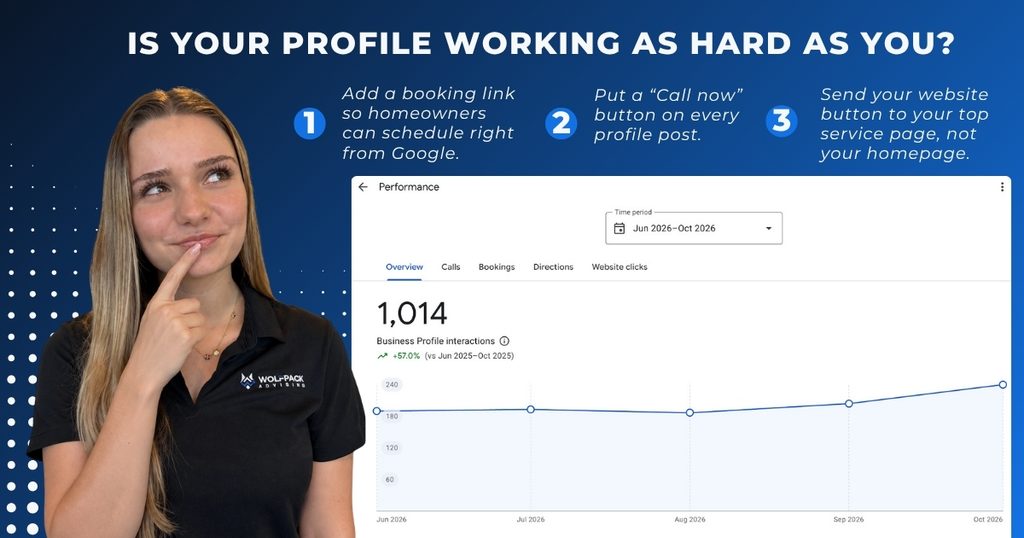
Start here if you only have time for one area. Your Google Business Profile (your free Google Maps listing) is what ranks in the map pack.
Google ranks local results on relevance, distance, and prominence, per its Google Business Profile Help guidance. You can’t control distance. You can control the rest.
Step 1: Pick the Most Specific Primary Category
- Choose an exact match, like “Home inspector,” not “Contractor.”
- Add secondary categories for your other services.
Done when: your primary category matches your top revenue service.
Step 2: Fill Out Every Profile Field
- List every service and service area.
- Keep hours accurate, including after-hours.
- Add photos of your trucks, crew, and finished work.
- Post updates a few times a month.
Show the clean finished install, not the cockroach colony behind the fridge.
Done when: Google shows no “add this information” prompts.
Step 3: Make Your Name, Address, and Phone Match Everywhere
This is called NAP consistency. Your details should match on your website, Yelp, Angi, the BBB, and industry directories.
Real result: Fixing duplicate listings and NAP data was part of the local SEO work that grew Tampa Bay Septic’s Google Maps views 521% year over year.
Done when: a search for your name and phone number shows one consistent version of you.
Step 4: Build a Steady Review Habit
- Ask every happy customer when the job wraps up.
- Text them a direct review link.
- Reply to every review, good or bad.
Real result: Honor Services, a WolfPack review-request client, runs a review rate above 26% with automated requests after each job.
Done when: new reviews come in weekly, and none sit unanswered.
Does Your Website Tell Google What You Do and Where?
Your website backs up your profile. Google reads your site to confirm what you offer and where.
Step 5: Give Every Service Its Own Page
One “Services” page listing drain cleaning, water heaters, and sewer repair can’t rank for all three. Each service needs its own page.
Done when: every service you want calls for has a dedicated page.
Step 6: Build Real Pages for Your Top Service Areas
Create pages for your most important towns, with local job examples and reviews from customers there. Swapping the city name on a copied page doesn’t count. Google can tell, and so can homeowners.
Done when: each top market has a page that couldn’t be about any other city.
Step 7: Put the Service and City in Titles and Headings
“Water Heater Repair in Brandon, FL” beats “Welcome to Our Website.”
Done when: any page’s title tells you the service and location without clicking.
Step 8: Make the Site Fast and Easy to Call From a Phone
Someone with water on the floor won’t wait for a slow page or hunt for your number. Put a tap-to-call number at the top of every page and keep forms short.
Done when: you can go from Google to a ringing phone in two taps.
Step 9: Add LocalBusiness Schema
Schema is code that labels your business details (name, address, hours, services) so search engines and AI tools read them correctly.
Done when: a schema testing tool shows your details with no errors.
Step 10: Connect Google Search Console and Google Analytics
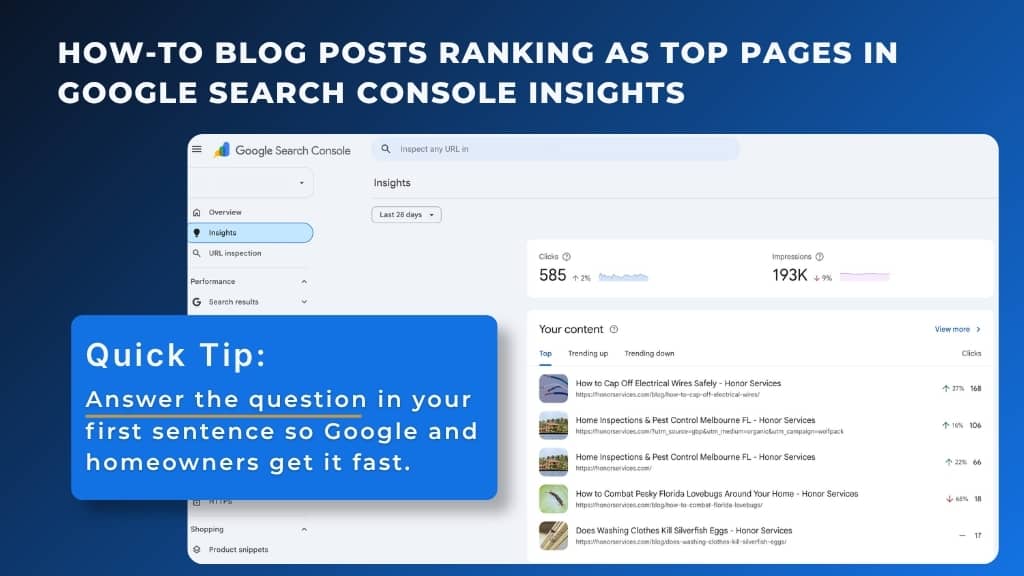
Search Console shows which searches you appear for, how often you show up (called impressions), and errors that keep pages out of Google. Analytics shows what visitors do once they arrive.
Done when: you can see your top search terms and get alerts when a page breaks.
Are You Publishing Content Homeowners Search For?
Content wins the searches that happen before someone is ready to book, like “why is my AC blowing warm air.”
Step 11: Answer the Questions Customers Ask You
Your best topic list is your phone log. Answer the questions your techs and office staff hear every week, leading with the direct answer. Google’s SEO Starter Guide makes the same point: write helpful content for people first.
Done when: you have a running list of real customer questions and a plan to answer them.
Step 12: Publish on a Schedule You Can Keep
Two solid posts a month for a year beats ten posts in January and nothing after. For Tampa Bay Septic, two blog posts and two geo-targeted landing pages every month helped a site with near-zero organic visibility build 1,900+ ranking keywords.
Done when: you have a content calendar and someone who owns it.
Step 13: Earn Local Links the Right Way
Links from trusted local sites tell Google you’re a real business. Start with your chamber of commerce, trade associations, supplier dealer locators, real estate agent partners, and community events you sponsor.
Short answer on buying links: don’t. Google treats paid links meant to manipulate rankings as spam.
Done when: you’ve claimed every local link you already qualify for.
Can You Prove SEO Is Bringing In Jobs?
If you can’t connect rankings to booked jobs, you’re guessing.
Step 14: Track Calls and Forms Back to Their Source
Use call and form tracking so you know which leads came from your profile, organic search, or ads, then connect them to your CRM to see which ones booked. That’s how All South Pest Control could point to 649 tracked leads in six months from SEO, instead of “the phone seems busier.”
Done when: you can answer “how many jobs did organic search bring in last month?” with a number.
Step 15: Watch Your Map Rankings and AI Visibility
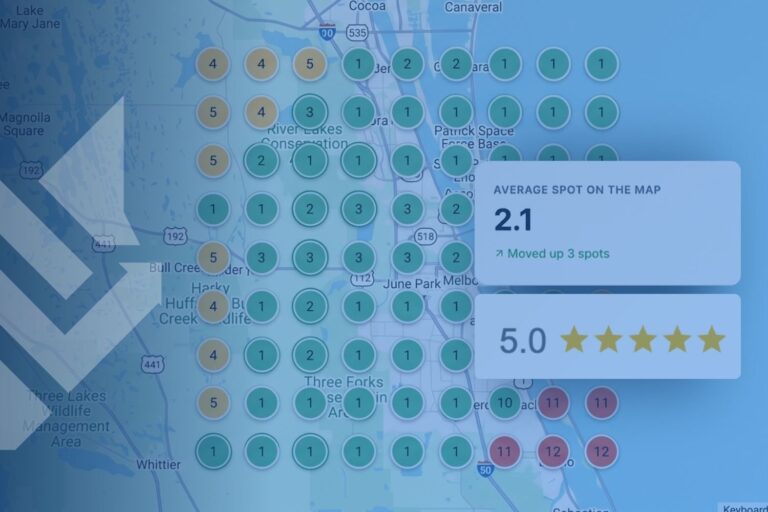
You might rank #1 near your shop and disappear five miles away. A rank grid (a map of your position across your service area) shows exactly where you fade. Check AI answers too: ask ChatGPT who to call for your service in your city.
Done when: you review a rank grid monthly and know where you’re weak.
Related Questions to Explore
How long does SEO take to work for a home service business?
Most businesses see early movement in two to three months, with stronger results building over four to six months. Competitive metros and brand-new websites take longer.
Can I do SEO for my home service business myself?
You can handle the basics yourself, like completing your Google Business Profile, asking for reviews, and fixing your NAP. Ongoing content, technical fixes, and lead tracking take more time and tools.
Do Google reviews help SEO for home services?
Yes, mainly in your local rankings. A steady flow of recent reviews, plus a reply to each one, helps you climb the map pack and earn more clicks once you’re there.
Should I run Google ads or do SEO first?
If you need calls in the next 30 days, ads are faster. SEO builds visibility that keeps working without paying per click. Most growing home service companies run both.
Does SEO help you show up in AI search?
Yes. AI tools lean on the same signals: a complete profile, strong reviews, and clear answers on your website. Good SEO is the foundation for AEO.
When Should You Bring In a Pro?
Bring in help when the checklist turns into a part-time job you don’t have time for. Common signs:
- Your profile is complete, but you’re stuck outside the top three in the map pack
- You have duplicate listings, a suspended profile, or a recent move to clean up
- You can’t tell which leads come from SEO and which come from ads
- Your traffic dropped after a Google update, and you don’t know why
A good partner works inside your accounts and tracks results down to booked jobs. That’s how we run SEO for home service companies at WolfPack. Our SEO clients can also log in to their WolfPack portal and see their site audit details any time, so you’re never guessing about the health of your site.
Ready to Start Checking Boxes?
- Start with your Google Business Profile. It drives the map pack.
- Give every service and top market its own real page.
- Publish answers to customer questions on a schedule you can keep.
- Track leads to booked jobs, so you know what’s working.
Want a second set of eyes on your checklist? Get a free proposal from WolfPack and see what’s holding your rankings back.