

A CRM is one place to keep every lead and customer, so none of them slip through the cracks. Using it well comes down to a simple loop: catch every lead, answer fast, follow up automatically, and track which jobs came from where. Do that, and your CRM stops being a fancy contact list and starts paying for itself.
This guide walks you through it in plain English, from your first setup to seeing real return on your money. No excessive jargon or 40-step configuration. Just the handful of moves that actually help a service business turn scattered leads into booked jobs.
What a CRM Actually Does (In Plain English)
A CRM is a Customer Relationship Management platform.
That sounds technical, but the job is simple.
Think of it this way: a CRM is not a digital address book. It is your follow-up engine. It catches every lead, reminds you (or reminds itself) to follow up, and keeps a running history of every call, text, quote, and closed deal for each person.
Here is the direct version. Most service businesses do not lose jobs because their work is bad. They lose jobs because a lead called on a busy Tuesday, nobody wrote it down, and the follow-up never happened. A CRM exists to stop that from happening.
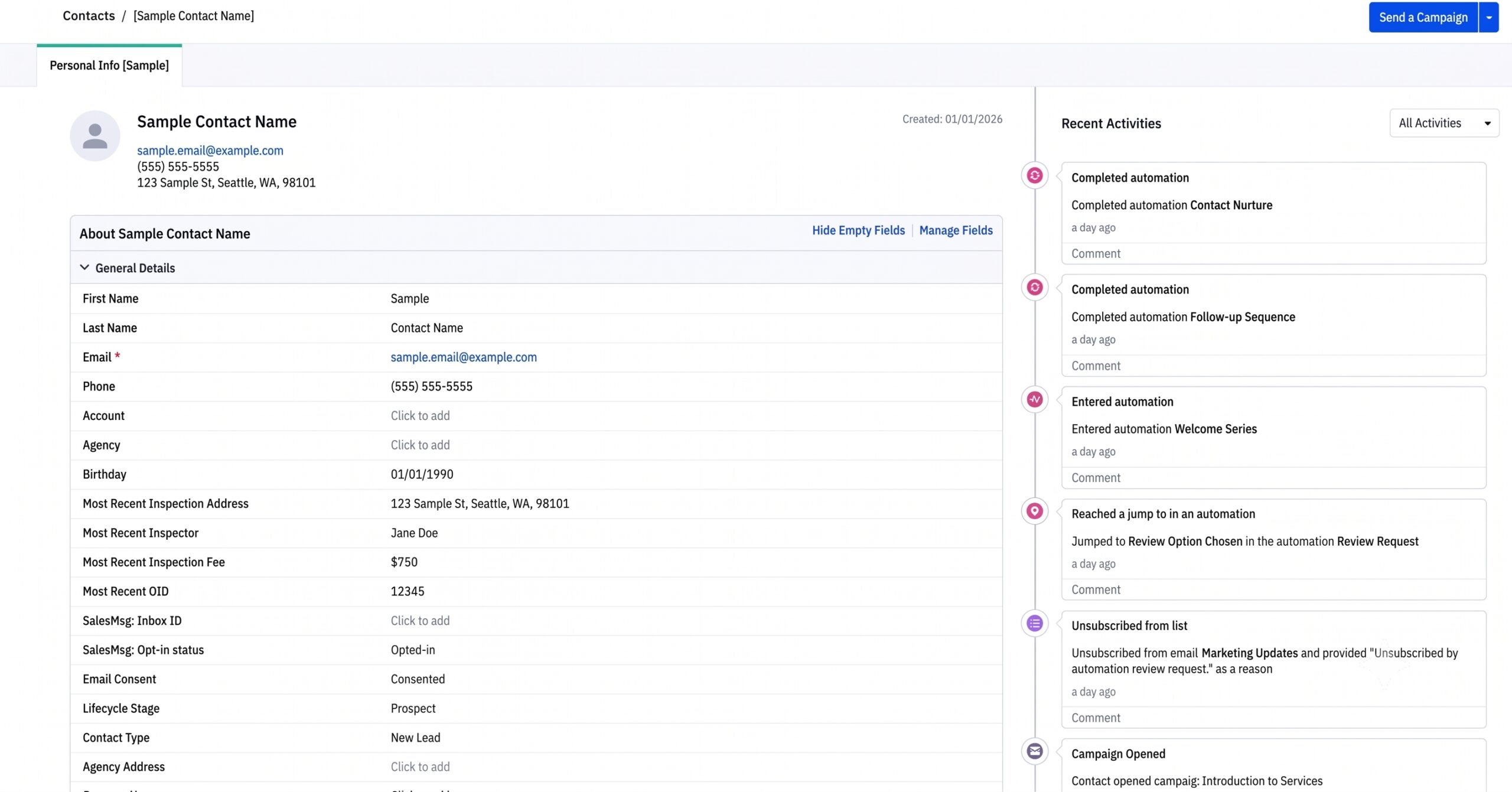
When it is set up right, your CRM answers these questions at a glance: Who is it? What did we offer them? How did they respond? What happens next?
Before You Start: Get Your List Ready
You do not need clean data to start, but a little prep saves headaches later.
Pull together wherever your contacts currently live: your phone, sticky notes, your inbox, an old spreadsheet, your booking software. Get them into one simple list with a name, a phone number, an email, and a quick note on what they wanted.
Then do a five-minute cleanup:
- Delete obvious duplicates.
- Remove anyone who is clearly not a real lead.
- Add a note for anyone mid-conversation, so you pick up where you left off.
That is your starting list. Most CRMs let you import it from a spreadsheet in a couple of clicks. You are not aiming for perfect. You are aiming for one place instead of five.
How to Use a CRM, Step by Step
Here is a quick version, then the detail.
Catch the lead, answer fast, automate the follow-up, track the job, keep the customer, and measure the results. Six steps.
Step 1: Get Every Lead Into One Place
The whole point of a CRM is that nothing lives in your head or on a napkin anymore. So the first job is making sure every new lead lands in it automatically.
Connect your lead sources so they feed straight in:
- Your website contact and quote forms.
- Your phone calls and texts.
- Your Google Local Service Ads and Google Ads leads.
- Your inbox, so email inquiries get logged too.
When a lead comes in from any of those, it should create a record in your CRM without you retyping anything. If you are still copying leads over by hand, that is the first thing to fix. And that connection pays off twice.
The same link that pulls ad leads into your CRM lets your CRM push data back out later, so your ads can target more people like your best customers. (More on that in Step 6.)
Not sure a lead is even worth chasing? Here’s how we qualify a home service lead and skip the dead ends.
Step 2: Respond Fast (Speed Wins Jobs)
Speed is the single biggest lever a service business has, and most owners are losing on it without knowing.
The pattern is simple: the business that responds first usually wins the job.
When a homeowner fills out three quote forms on a Saturday morning, the first company to call back is the one that gets on the calendar. The other two are calling a booked customer.
Set your CRM up to help you win that race:
- Instant alerts. The moment a lead comes in, you or your team get a text or push notification.
- Auto-reply. The lead gets an immediate “Got your message, we’ll call you within the hour” text or email. That one message buys you time and calms the customer down.
You will not always answer in five minutes. The goal is that no lead ever waits a day. The U.S. Small Business Administration’s guidance on customer service makes the same point in plain terms: consistent, timely follow-through is what earns repeat business. A CRM is how you make that consistent instead of hoping you remember.
Step 3: Automate the Follow-Up
This is where a CRM earns its keep. Most jobs are not won on the first call. They are won on the third or fourth touch, and that is exactly where busy owners drop the ball.
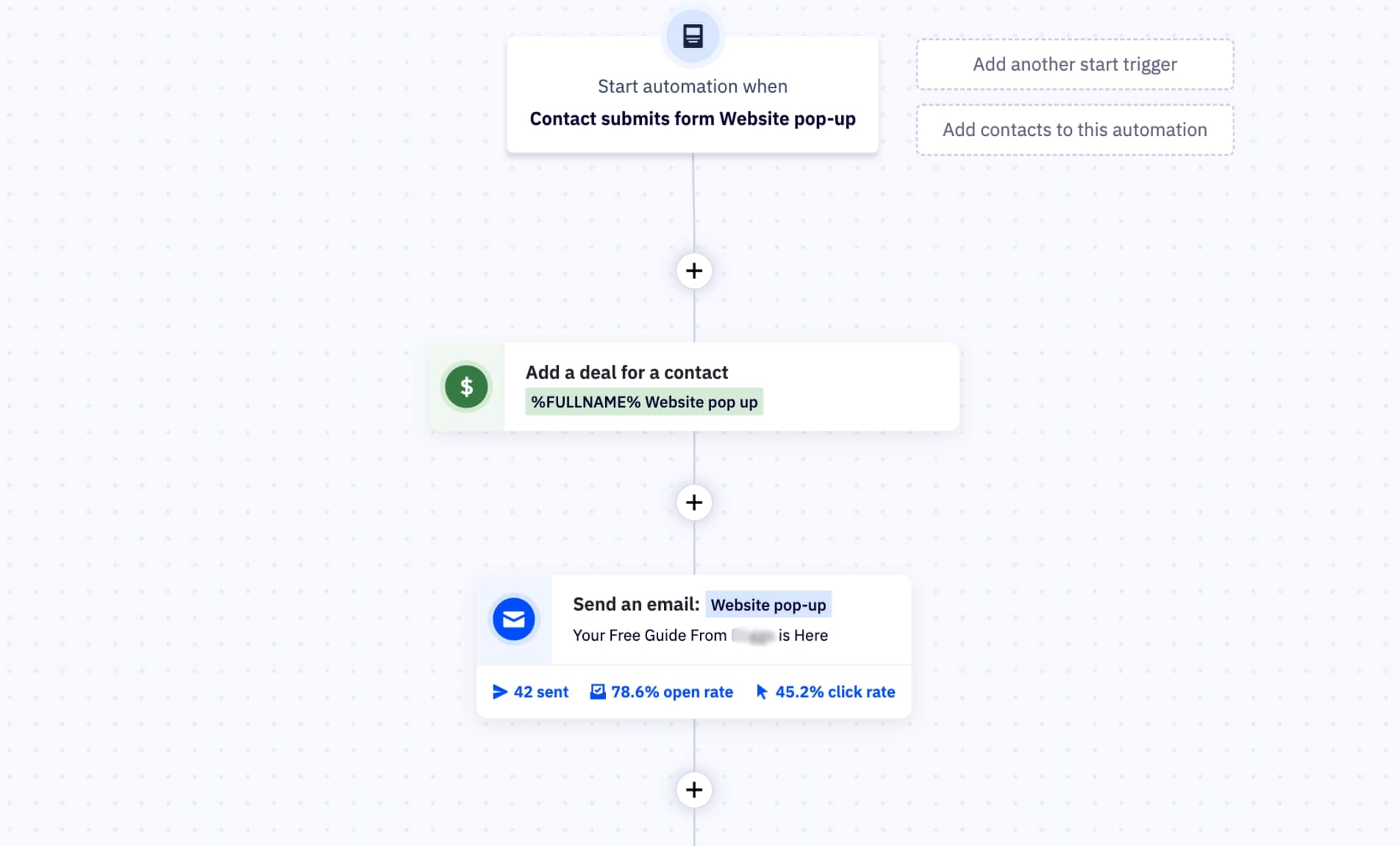
Instead of relying on memory, you build the follow-up once and let it run. A simple sequence for a new lead might look like this:
- Day 0: Instant “we got your request” text.
- Day 0: Personal call from you or your team.
- Day 2: Friendly check-in email if they have not booked.
- Day 5: One more text with a reason to act, like current availability.
- Day 10: Final “still interested?” message before they go quiet.
You set that up one time. After that, every new lead gets the same steady follow-up whether you are on a roof, under a house, or asleep. Leads stop dying in a drawer. This is the heart of what marketing automation does for a service business.
Step 4: Track Every Job in a Simple Pipeline
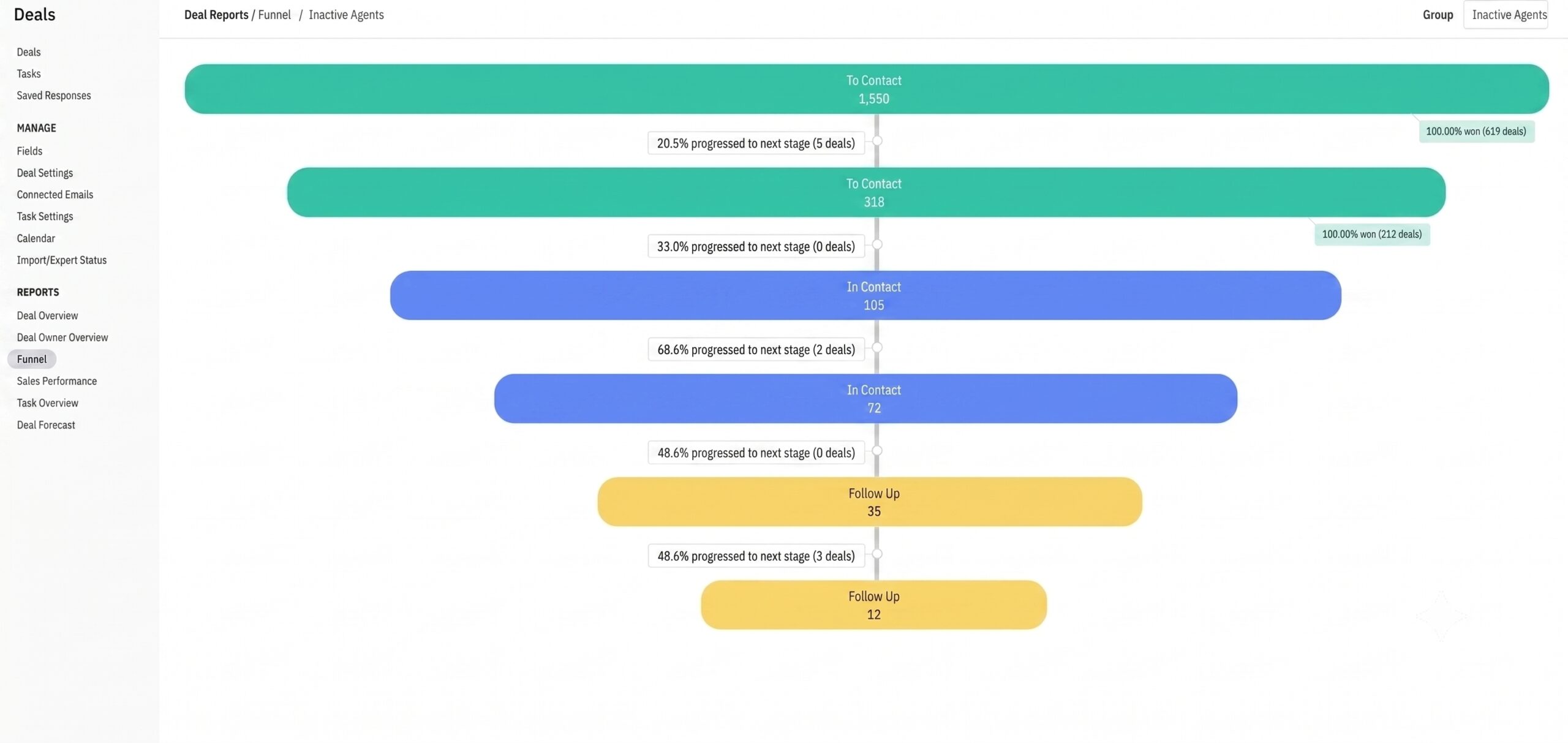
A pipeline is just a set of stages a lead moves through. It sounds fancy. It is really a row of buckets.
Keep it simple. Most service businesses only need a handful of stages:
| Stage | What it means |
|---|---|
| New Lead | Just came in, not contacted yet |
| Contacted | You reached out, waiting to hear back |
| Quoted / Estimate Sent | They have a price |
| Won | Job booked |
| Lost | Went with someone else, or went quiet |
Every lead sits in exactly one bucket, and you drag it forward as things move. Now you can look at one screen and see how many quotes are sitting out, who needs a nudge, and what is about to close.
No more guessing where things stand.
Step 5: Keep Past Customers Coming Back
Your easiest next job is a customer you already have. Most owners forget this, and a CRM fixes it for free.
Because the CRM remembers every customer and what you did for them, you can set up simple, automatic touches:
- A seasonal reminder (“time for your fall tune-up”).
- A quick “how did we do?” message that asks for a review.
- A referral ask a week after a great job, while you are fresh in their mind.
These run in the background and bring in repeat and referral work without you lifting a finger each time. That is often the highest-value thing a CRM does, and the part owners set up last.
Step 6: Measure What’s Working (Your ROI)
Here is where “from setup to ROI” pays off. Because every lead entered your CRM with a source attached, you can finally answer the question that matters: where do my paying jobs actually come from?
Your CRM (and its reporting) can show you:
- How many leads each channel brought in (LSAs, Google Ads, referrals, your website).
- How many of those turned into booked jobs.
- Which channels are quietly wasting money.
That is the difference between “we spent $2,000 on ads” and “those ads booked us $14,000 in work.” Once you can see it, you stop guessing and start spending where the jobs are. If you want that laid out clearly, this is exactly what lead tracking and ROI reporting.
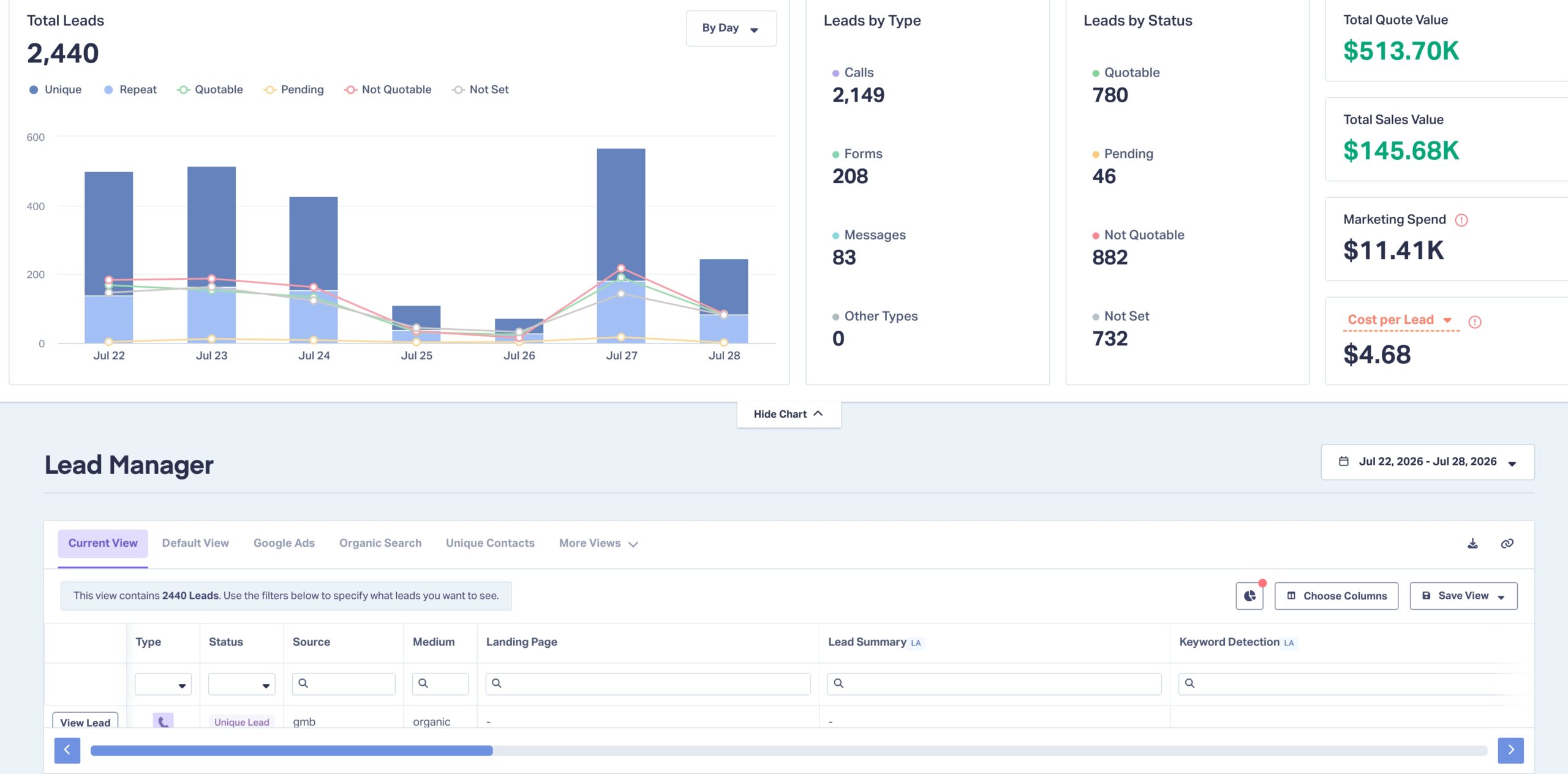
Then use that data to get more of your best leads. A CRM does not just tell you where jobs came from. You can push that customer data back into Google and Meta to find more people like your best customers.
Upload your customer list to build lookalike (or “similar”) audiences, sharpen your demographic and location targeting, and exclude the tire-kickers who never book. Instead of putting ad leads into your CRM and stopping there, you feed what the CRM learns back into your ads, so your budget goes to the people most likely to book.
Which CRM Should You Use?
Short answer: the one you will actually use. A CRM only works if your team keeps it updated, so simple and used beats powerful and ignored every time.
For most service businesses, three names come up. Here is the quick take:
| CRM | Best for | Watch out for |
|---|---|---|
| ActiveCampaign | Owners who want strong, affordable follow-up automation | Fewer built-in sales bells and whistles |
| HubSpot | Businesses ready to scale and want everything in one place | More power than a small shop may need at first |
| GoHighLevel | A fast, all-in-one start | Can feel like a jack-of-all-trades, with lock-in risk |
We run all three across client accounts, and we run HubSpot to run our own agency, so this is not a guess. We are also a certified ActiveCampaign partner and a HubSpot partner. If you want the full breakdown, we compared which CRM is the best fit for a service business side by side.
One more note: a marketing CRM (ActiveCampaign, HubSpot, GoHighLevel) is not the same as field software like Jobber, Housecall Pro, or ServiceTitan. Field software runs the job. A CRM runs the follow-up. The best setups connect the two.
The Most Common CRM Mistakes (And How to Skip Them)
A CRM fails for boring, predictable reasons. Skip these, and you are ahead of most:
- Treating it like a contact list. If you are only storing names, you are using 5% of the tool. The value is in the follow-up.
- Buying too much CRM. A 12-person feature list you never turn on is money down the drain. Start small.
- No automation. If every follow-up still depends on you remembering, the CRM is not doing its job.
- Nobody owns it. If it is everyone’s job to update, it is no one’s job. Pick one person to keep it clean.
- Set it and forget it. Hands-off rarely means best-off. Check your pipeline weekly, even for ten minutes.
Related Questions to Explore
How long does it take to set up a CRM?
A basic, working setup can be done in a day: import your contacts, connect your lead forms, and turn on one follow-up sequence. The automation and reporting get better over the first few weeks as you tune them. You do not need it perfect to start using it.
Do I really need a CRM for a small service business?
If you have more leads than you can reliably follow up with by memory, yes. Even a one-truck operation loses jobs to slow or missed follow-up. A CRM is how a small team acts like a bigger one without hiring.
What’s the difference between a CRM and field service software?
Field software like Jobber or Housecall Pro runs the job itself: scheduling, dispatch, invoicing. A CRM runs the relationship: catching leads, following up, and nurturing repeat work. Many businesses use both and connect them.
How much does a CRM cost?
There are solid free and low-cost starting tiers, including a free version of HubSpot. Costs rise as you add users and advanced automation. For most small service businesses, the monthly cost is a fraction of a single booked job, which is the point.
Can a CRM work with my Google Ads and Local Service Ads?
Yes, and it should. Connecting your ad leads directly to your CRM is how you see which ads actually book jobs, instead of guessing. That connection is the whole reason the ROI step works.
And it runs both ways: you can feed your CRM’s customer data back into those ad platforms to target more people like your best jobs.
When Should You Bring In a CRM Partner?
Plenty of owners set up a CRM themselves, and you can too. Start with the six steps above, and you will get real value on your own.
The tipping point to bring in help usually looks like this: your leads come from four or five places, and none of them talk to each other… your follow-up is still manual, or you have a CRM you paid for that no one actually uses.
That is not a tool problem anymore. It’s a setup problem, and it is costing you jobs every week it sits half-built. That is where we come in. We connect your lead sources, build the follow-up automations, and set up reporting so you can see your ROI, then hand you something your team will actually use.
Real Results
See a CRM in action: KC Inspections
How we set up a CRM that turned scattered leads into booked jobs for a home inspection business.
The Bottom Line
Using a CRM is not complicated once you cut the jargon. Catch every lead, answer fast, automate the follow-up, track each job, keep past customers close, and measure what works. That loop is what turns scattered leads into booked jobs, and a monthly software bill into real return.
Curious how much your CRM could be doing for you? Book a quick call, and we’ll show you where the jobs are hiding in your follow-up.