
On-page SEO is the content on each page. Technical SEO is how your site is built and delivered to the people searching. While both are essential, neither is what actually guarantees you a top spot. Rankings come from helpful content, local trust signals, and links from other sites.
TL;DR: Technical SEO clears the path so Google can read your site. On-page SEO tells Google what each page is about. Content, local signals, and backlinks are what earn the ranking.
WolfPack Advising runs SEO for home service brands across the country, and these are some of the questions owners ask us most often. What’s involved in on-page vs technical SEO? Do I need schema markup? What do I fix first, and how? We’ll cover it all below.
What Is On-Page SEO?
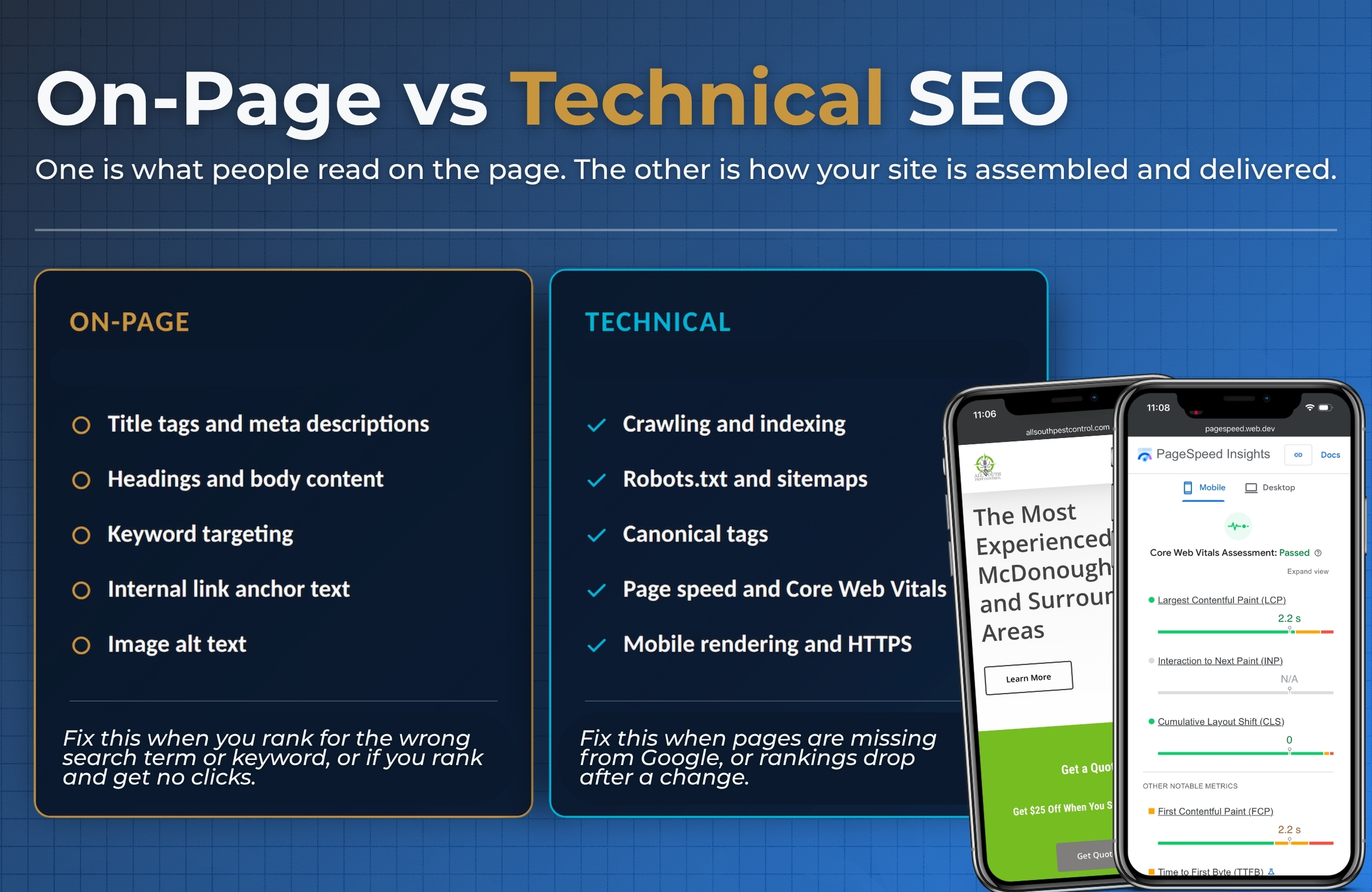
On-page SEO is everything a visitor could see or read on a single page, set up so both people and search engines understand it.
That includes:
- Title tag and meta description. The headline and blurb that show up in search results.
- Header tags. One H1 per page, then H2s and H3s that break the page into clear parts.
- Body content. The words on the page, written to match what someone typed into Google.
- Keyword targeting. Using the phrase your customer types, plus the related words that go with it.
- Internal linking. Pointing from one page on your site to another, using anchor text that describes the destination.
- Image optimization. Right-sized images with alt text that describes what is in the photo.
If a page ranks, but nobody clicks, or it ranks for the wrong search, that is almost always an on-page problem.
You would fix it by reassessing the target keywords and making sure your page content matches your audience’s intent.
Start with what organic keywords are and how they work if you are not sure which searches your pages should target.
What Is Technical SEO?
Technical SEO is the setup work that lets search engines find, read, and store your pages. It happens mostly in the background.
That includes:
- Crawlability. Can Google’s crawler reach your pages? Your robots.txt file and your internal links decide that.
- Indexing. Once Google reaches a page, does it keep it? You check this in Google Search Console.
- XML sitemap. A list of the pages you want found, submitted to Google.
- Canonical tags. A note that says “this is the main version of this page,” which stops duplicate content problems.
- Page speed and Core Web Vitals. How fast your page loads and how stable it feels. Google measures three things: Largest Contentful Paint, Interaction to Next Paint, and Cumulative Layout Shift.
- Mobile and responsive design. Your site has to work on a phone first, because that is where your customers are.
- HTTPS. A secure certificate, so browsers do not warn people away.
- Structured data. Code that labels what your business is and what you do.
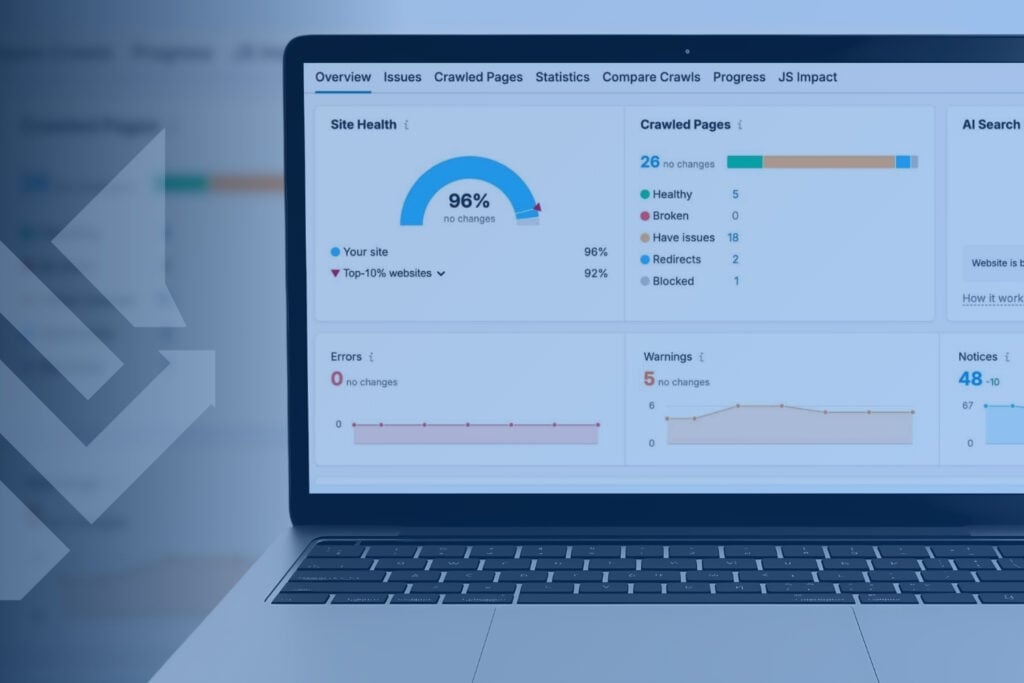
Most technical SEO for a home service site is configuration, not custom programming. Our team runs full site audits regularly to catch broken links, redirect chains, crawl errors, and missing page elements before they pile up. If your site is not showing up at all, the cause is usually in this bucket.
We walk through the common technical fixes in our post about why your website is not showing up on Google.
On-Page vs Technical SEO in One Table
Here is the same information in a form you can scan.
| Element | On-page or technical | Who usually fixes it | What it does for you |
|---|---|---|---|
| Title tags and meta descriptions | On-page | Content or SEO team | Helps the right people click |
| Body copy and headings | On-page | Content team | Tells Google what the page answers |
| Keyword targeting | On-page | SEO team | Matches your page to a real search |
| Alt text and image names | On-page | Content team | Adds context, helps image search |
| Robots.txt and sitemap | Technical | Developer or SEO team | Lets Google find your pages |
| Canonical tags | Technical | Developer or SEO team | Prevents duplicate content |
| Page speed and Core Web Vitals | Technical | Developer | Removes friction for visitors |
| Mobile rendering | Technical | Developer | Keeps phone users on the page |
| HTTPS certificate | Technical | Host or developer | Builds basic trust |
A few items sit in both buckets, and that is where most of the confusion comes from:
- Internal linking (links from one of your pages to another one of your pages) is on-page because you write the anchor text. It is technical because it shapes how Google crawls your site.
- Structured data (like schema markup) is technical code, but it describes your on-page content.
- URL structure is set by your site developer and read by your customer.
You do not need to obsess over which label is correct. You just need to know who on your team owns the fix and watches for issues.
Where Schema Markup Fits, and What It Will Not Do
Schema markup is code that labels your content so search engines can read it without guessing. On a home service site, the useful types are LocalBusiness, Service, Organization, and Review.
Here is the part most guides get wrong. Schema markup is not a ranking factor. Google’s own documentation talks about structured data in terms of eligibility, not position.
It can make you eligible for a richer search result, like star ratings or business hours. It does not push you up the page. Google’s Search Central documentation on structured data uses that eligibility language throughout.
Think of schema like a well-designed label on a product. The label helps people find and understand what is inside. The quality of the product is what keeps them coming back.
Two current notes worth knowing:
- FAQ rich results are gone. Google removed FAQ rich results from Search in May 2026 and pulled the reporting for them over the following months. FAQ markup on your site is harmless, but it no longer produces that stacked-question display.
- Write FAQ content for real people and for AI answers, not for a search widget that no longer exists.
- Schema now matters more for machines than for looks. AI Overviews and AI assistants pull from structured, clearly labeled pages. Good schema makes your business easier for those systems to identify and cite correctly.
- We cover the details in our post about whether you need schema markup for AI optimization.
Our team builds and maintains custom schema as part of our Advanced and Pro plans, because it is worth doing well. It is just not the lever that moves your ranking.
Core Ranking Factors That Actually Move You Up
The largest gains come from three places, and none of them live in your site’s code.
1) Helpful Content That Matches Real Searches
Search engines exist to surface the best answer to a question. Original content that answers what your customers actually ask is the single most useful thing you can do.
That means clear service pages, blog posts that answer real phone-call questions, and content written by someone who knows the work. No amount of backend cleanup replaces content that earns the click.
2) Local Relevance and Entity Signals
If you serve a specific area, Google weighs how established you look in that market.
A complete Google Business Profile, consistent business listings across directories, and real signals that tie you to the towns you serve all count. These tell Google you are a legitimate local option.
3) Site Authority and Backlinks
When other trusted sites link to yours, that is a vote of confidence. Authority built through quality backlinks and brand mentions is the hardest thing to build and the hardest for a competitor to copy. That is exactly why it carries so much weight.
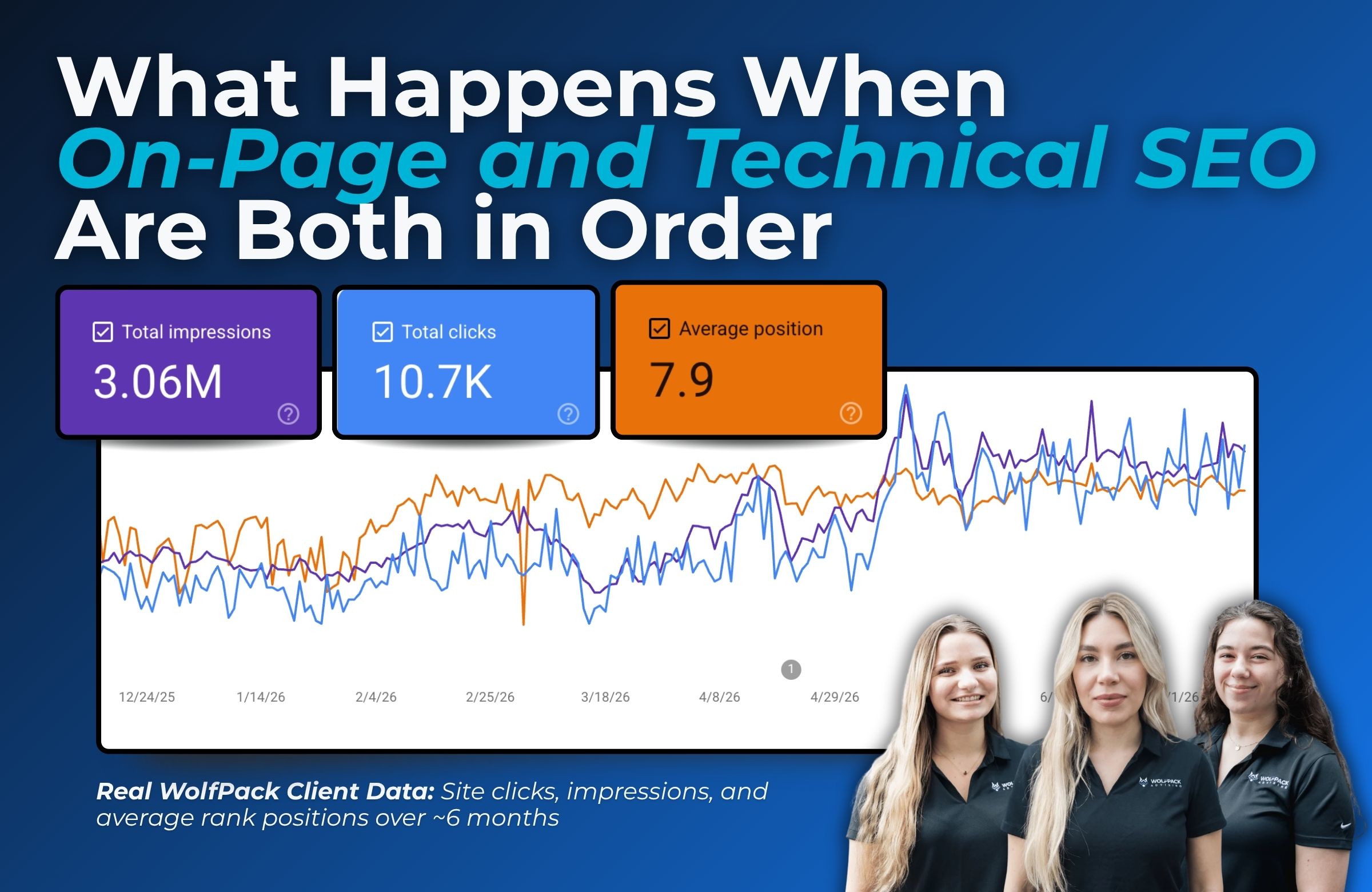
Technical work supports all three. Page experience is part of Google’s ranking systems, but it works more like a tiebreaker between pages that are otherwise even on content and trust. Google’s page experience documentation says it plainly.
There is no single page experience signal, and Google still shows the most relevant content even when the experience is not perfect. A fast site with thin content will not beat a slower site with genuinely useful information.
What to Fix First
Use the symptom to pick the bucket. This is the shortcut we use on client accounts.
| What you are seeing | Where the problem probably is |
|---|---|
| Pages are not in Google at all | Technical. Check indexing in Search Console. |
| You rank, but for the wrong searches | On-page. Fix targeting, titles, and headings. |
| You rank on page one but get few clicks | On-page. Rewrite the title tag and meta description. |
| You are stuck on page two or three | Content depth and authority. |
| Rankings dropped after a site change | Technical. Check redirects and canonicals. |
| Competitors with worse sites outrank you | Authority and local signals. |
One Warning About AI Audit Tools
Free AI audit tools tend to hand you a long list of red “critical” errors without weighing whether any of them affect your rankings. That creates urgency where there is none. A minified CSS warning is not the reason you are on page two.
Ask what a fix is expected to change before you pay for it. We rely on professional-grade audits, reviewed by a person, for exactly this reason.
Sequencing matters more than volume. Clear the technical blockers, make each page clearly about one thing, then spend the bulk of your effort on content and authority.
That order is why pairing SEO work with your site build saves money later.
Related Questions to Explore
Is schema markup on-page SEO or technical SEO?
Both, depending on who you ask. The code itself is technical, and a developer usually installs it. What it describes is your on-page content. Label it however your team prefers, then make sure someone owns it.
Is internal linking technical or on-page SEO?
Internal linking counts as on-page work because you choose the pages and the anchor text. It also affects crawling, which is technical. Treat it as a shared item between your content and development work.
What is on-page, off-page, and technical SEO?
On-page is what is on your pages. Technical is how your site is built and served. Off-page is everything happening elsewhere, mostly backlinks and brand mentions. Our SEO services cover all three, because a gap in any one holds the others back.
How important is page speed for SEO?
It matters, but less than most owners expect. Core Web Vitals are used in Google’s ranking systems, and a slow site frustrates real visitors. Speed acts as a tiebreaker, not a driver. Fix it after your content and targeting are solid.
Are meta descriptions a Google ranking factor?
No. Google does not rank pages based on the meta description. It does affect how many people click your result, which makes it worth writing well. Google also rewrites descriptions when it thinks another snippet fits the search better.
How does technical SEO differ from on-page SEO?
Technical SEO makes your site readable to search engines. On-page SEO makes each page clearly about one topic. One removes barriers. The other gives Google a reason to match your page to a search.
Does technical SEO still matter with AI Overviews?
More than before. If a page cannot be crawled and rendered, it cannot be pulled into an AI answer or cited. Clean technical setup is the entry ticket. Content is still what gets you quoted.
When to Work With an SEO Team
Plenty of this list can be do-it-yourself work. You can write better titles, add alt text, claim and fill out your Google Business Profile, and check Search Console for indexing errors. Those four things alone fix a lot of sites.
Bring in help when the problem crosses into your site’s code, when rankings drop and you cannot tell why, or when you have location and service pages multiplying faster than anyone can keep track of.
That last one is where home service sites break most often. Duplicate city pages compete with each other, and nobody notices until the traffic flattens.
WolfPack’s technical SEO services exist for those cases. We audit monthly, fix in priority order, and tell you which items we are skipping and why.
Go to our Technical SEO details page
Conclusion
- Technical SEO clears the path. On-page SEO points the way. Content, local signals, and backlinks earn the ranking.
- Schema markup helps search engines and AI tools understand your business. It does not raise your position.
- Pick your next fix by symptom, not by the length of an audit report.
If you want to know which bucket is costing you leads right now, request a free custom SEO proposal, and we will walk through your site with you.